

Drones and Drone Programming

Flashcard
•
Computers
•
5th - 8th Grade
•
Practice Problem
•
Easy

Wayground Content
Used 1+ times
FREE Resource
Student preview

41 questions
Show all answers
1.
FLASHCARD QUESTION
Front
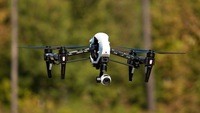
Drones are known as UAV's. What does UAV stand for?
Back
Unmanned aerial vehicles
2.
FLASHCARD QUESTION
Front
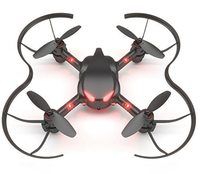
What is an autonomous drone?
Back
A drone that can fly, hover, navigate and perform other tasks without being directly controlled by a human.
3.
FLASHCARD QUESTION
Front
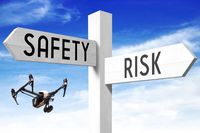
Which one below is a safety rule you must follow when operating a drone? Options: You must keep your drone above 100 metres when flying directly over people. You must be able to see your drone with your own eyes at all times. If you fly two drones at the same time, you must be in control of both of them. All of the above.
Back
You must be able to see your drone with your own eyes at all times.
4.
FLASHCARD QUESTION
Front
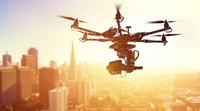
Which industry currently uses drones? Options: Agriculture, Mining, Real Estate, All of the above.
Back
All of the above.
5.
FLASHCARD QUESTION
Front
If you wanted to reverse your drone’s direction, how many degrees would you program your drone to turn left or right by?

Back
180 degrees
6.
FLASHCARD QUESTION
Front
Setting a speed of 50% at 4 seconds for the drone should be the same as setting a speed of 100% at how many seconds?

Back
2 seconds.
7.
FLASHCARD QUESTION
Front
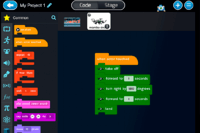
Which flight path best describes the program above? Options: The drone would take off, fly forward for 1 second, turn right, fly forward for 1 second to a different position and land. The drone would take off, fly forward for 1 second, turn around, fly back to its original position and land. The drone would take off, fly forward for 1 second, complete a full rotation, fly forward for another second and land.
Back
The drone would take off, fly forward for 1 second, turn around, fly back to its original position and land.


Access all questions and much more by creating a free account
Create resources
Host any resource
Get auto-graded reports

Continue with Google

Continue with Email

Continue with Classlink

Continue with Clever
or continue with

Microsoft
%20(1).png)
Apple

Others
Already have an account?

