

Computer Basics Grade 4

Presentation
•
Computers
•
3rd - 4th Grade
•
Medium

Antoinne Conliffe
Used 61+ times
FREE Resource
11 Slides • 13 Questions
1
Computer Basics Grade 4
2
What is a computer?
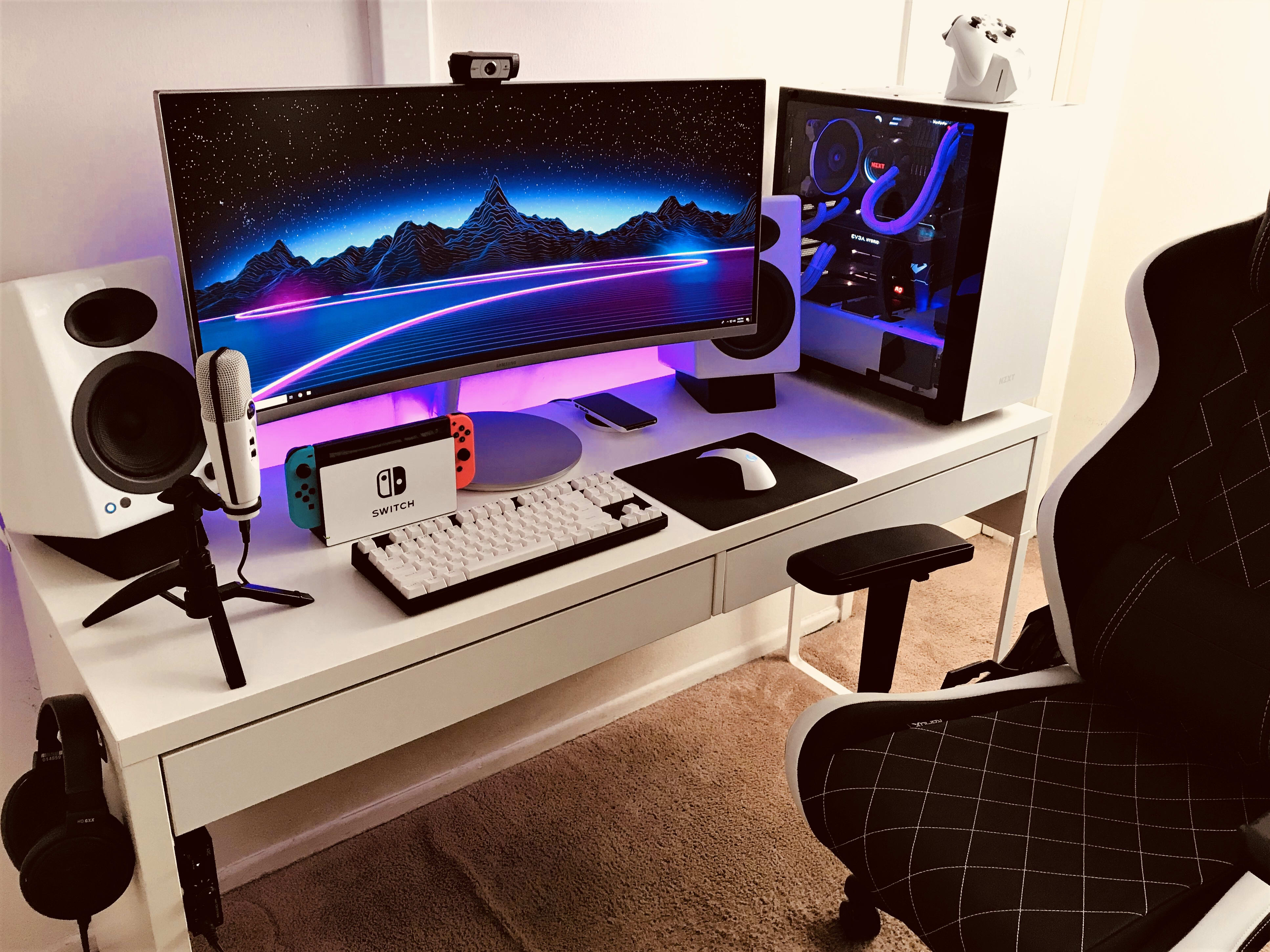
A computer is an electronic device that processes and stores data or information.
3
Multiple Choice
4
Parts of the computer
Just like your body the computer has different parts. Each of these parts has a unique purpose. today we are going to learn about some of the parts of the computer.

5
Multiple Select
6
The Monitor
The monitor is an output device that displays pictures and text to the user.

7
Multiple Choice
8
The Tower
The tower is called many different names such as the case, system unit, or CPU. It is that part of the computer that holds all of the internal parts of the computer.

9
Multiple Choice
10
The Keyboard
The keyboard is an input device that allows the user to type into the computer.

11
Fill in the Blanks
12
Multiple Select
13
The mouse
The mouse is an input device that allows the user to control the cursor, select images, text, and icons. With the mouse the user is able to click and drag.

14
Multiple Choice
15
Fill in the Blanks
16
The speakers
The speakers are an output device that allow the user to hear sounds from the computer.

17
Multiple Choice
18
The headphones
The headphones are just like the speakers, except they are only for one person to use. Some headphones come with a built in microphone.

19
Multiple Choice
20
The Microphone
The microphone is an input device that allows the user to speak into the computer.

21
Multiple Choice
22
The Printer
The printer is an output device that puts information onto paper for the user. The printer is also a peripheral device.

23
Multiple Choice
24
Multiple Select
Computer Basics Grade 4
Show answer
Auto Play
Slide 1 / 24
SLIDE


