

The Grid in Design

Presentation
•
Arts
•
9th Grade
•
Medium

Natashia Lawrence
Used 5+ times
FREE Resource
19 Slides • 24 Questions
1
The Grid in Design
Using the grid to make design flow and consistent
2
What is a Grid
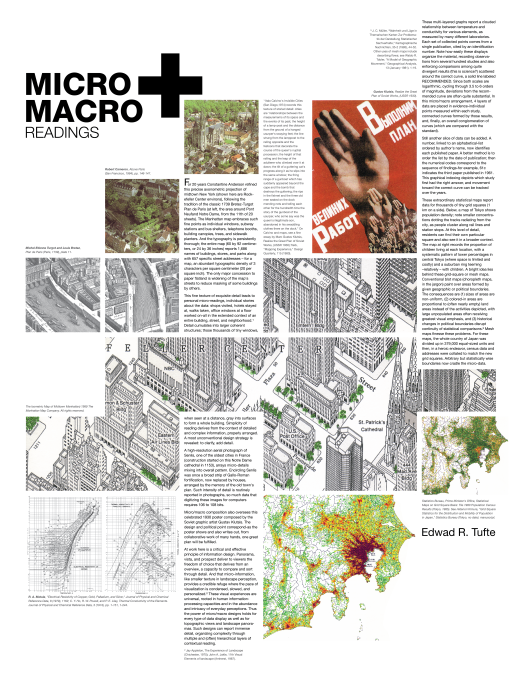
A grid is an arrangement of horizontal and vertical lines that are utilized to subdivide a page vertically and evenly into margins, segment (columns), inter-column spaces, type lines and spaces between blocks of type & images.
3
Anatomy of a Grid
Grids act as guides for the placement of elements in a design. No matter how simple or complex, grids share some common parts, each fulfilling a specific function.
4
Format
The format is the area in which the design sits. In a book or magazine, the format is the page. On a website, the format is the browser window.

5
Margins
Margins are the negative space between the edge of the format and the outer edge of the content.

6
Flowlines
Flowlines are horizontal lines that break the space into horizontal bands.
When elements are aligned to the top of a flowline, it’s called a hangline, as the elements appear to hang from the line.

7
Modules
Modules are individual units of space that are separated by regular intervals. Modules are the basic building blocks of grids. When repeated they create columns and rows.

8
Spatial Zones
Spatial zones are fields of adjacent modules. Each field can be assigned a specific function within the design.

9
Columns and Rows
Columns are vertical bands of modules.
• The optimal text for any column is between 45 and 75 characters
• Over 75 characters is hard to read
Rows are the horizontal bands of modules.

10
Gutters
Gutters are the spaces separating modules either vertically or horizontally.

11
Folio
Folios are created when page numbers are placed consistently in the margin, usually above or below the composition.

12
Running Header or Footer
A running header is a guide at the top to indicate your position in a manuscript.

13
Markers
Markers are placement indicators for subordinate or consistently appearing information. Markers can be used to denote the location of folios, page numbers, etc.

14
Multiple Choice
They are placement indicators for subordinate or consistently appearing information. They can be used to denote the location of folios, page numbers, etc.
Modules
Folio
Marker
Gutter
15
Multiple Choice
A guide at the bottom to indicate your position in a manuscript.
Running Footer
Running Header
Marker
Folio
16
Multiple Choice
A guide at the top to indicate your position in a manuscript.
Running Footer
Running Header
Marker
Folio
17
Multiple Choice
They are created when page numbers are placed consistently in the margin, usually above or below the composition.
Running Footer
Folios
Marker
Gutter
18
Multiple Choice
The spaces separating modules either vertically or horizontally.
Markers
Gutters
Margins
Folio
19
Multiple Choice
Horizontal bands of modules
Rows
Columns
Gutter
Marker
20
Multiple Choice
Vertical bands of modules.
Flowlines
Gutter
Row
Column
21
Multiple Choice
Fields of adjacent modules.
Spatial Zones
Rows
Columns
Running Footer
22
Multiple Choice
Individual units of space that are separated by regular intervals.
Spatial Zones
Gutter
Modules
Marker
23
Multiple Choice
The negative space between the edge of the format and the outer edge of the content.
Columns
Gutter
Flowlines
Margins
24
Multiple Choice
Horizontal lines that break the space into horizontal bands.
Flowlines
Folio
Columns
Running Header
25
Multiple Choice
Grids act as
an aid to focus the reader.
an area to make a graph.
guides for the placement of elements in a design.
a focal point.
26
Multiple Choice
It is the area in which the design sits.
Folio
Format
Spatial Zone
Module
27
Multiple Choice
It is the area in which the design sits.
Folio
Format
Spatial Zone
Module
28
Multiple Choice
When elements are aligned to the top of a flowline it’s called a _________________________
Hangline
Baseline
mainline
Footer
29
4 Main Types of Grids
30
Manuscript grid
Sometimes called a block grid or single column grid, the manuscript grid is the simplest grid structure. It’s mainly a large rectangular area taking up most of the space inside a format.

31
Margins in Manuscript Grids
Wider margins — lead to narrower text blocks, which helps focus the eye on the text and creates a sense of calm and stability.
Narrower margins — force the text block to the edge of the format creating tension as the two near each other.
32
Column Grids
Column grids are good when discontinuous information needs to be presented.
Columns can be dependent on each other, independent from each other, and crossed over by design elements.

33
Modular Grids
Modular grids are like column grids with the addition of horizontal divisions marked by rows. The columns and rows and the gutters between each create a matrix of cells or modules.

34
Hierarchical Grids
Hierarchical grids are commonly found on the web. They’re based more on an intuitive placement of elements, which still conforms to the needs of the information.
35
Multiple Choice

This image is an example of what type of grid layout
Column Grid
Manuscript Grid
Modular Grid
Hierarchical Grid
36
Multiple Choice
They are commonly found on the web. They’re based more
on an intuitive placement of elements.
Modular Grids
Hierarchical Grids
Column Grids
Manuscript Grids
37
Multiple Choice

This image is an example of what type of grid layout
Column Grid
Manuscript Grid
Modular Grid
Hierarchical Grid
38
Multiple Choice
They are good when discontinuous information needs to be
presented. They can be dependent on each other, independent from each other, and crossed over by design elements.
Column Grids
Manuscript Grids
Modular Grids
Block Grids
39
Multiple Choice

This image is an example of what type of grid layout
Column Grid
Manuscript Grid
Modular Grid
Hierarchical Grid
40
Multiple Choice

This image is an example of what type of grid layout
Column Grid
Manuscript Grid
Modular Grid
Hierarchical Grid
41
Multiple Choice
They are good when discontinuous information needs to be
presented. They can be dependent on each other, independent from each other, and crossed over by design elements.
Column Grids
Manuscript Grids
Modular Grids
Block Grids
42
Open Ended
What was the most interesting idea you learned about grids as used in designing?
43
Poll
Do you think using grids will help you when designing your upcoming magazine spread?
Yes
No
I don't know
The Grid in Design
Using the grid to make design flow and consistent
Show answer
Auto Play
Slide 1 / 43
SLIDE
Similar Resources on Wayground

38 questions
Mitosis
Presentation
•
9th Grade
36 questions
Subject Verb Agreement
Presentation
•
KG - 9th Grade
37 questions
Macromolecules
Presentation
•
9th - 10th Grade
35 questions
Byzantine Empire
Presentation
•
9th Grade
36 questions
Rules with Exponents
Presentation
•
9th Grade
39 questions
Systems and Thermodynamics Introduction
Presentation
•
9th Grade
37 questions
Modern Atomic Theory
Presentation
•
9th Grade
34 questions
Linear, Quadratic, or Exponential?
Presentation
•
9th Grade
Popular Resources on Wayground
11 questions
Hallway & Bathroom Expectations

Quiz
•
6th - 8th Grade
10 questions
HCS SCI 03 Summer School Assessment 2
Quiz
•
3rd Grade
11 questions
Home Scope
Quiz
•
7th - 8th Grade
12 questions
2026 TAP Technology in the Classroom
Presentation
•
Professional Development
15 questions
HCS SCI 05 Summer School Assessment 2 Review
Quiz
•
5th Grade
15 questions
HCS SCI 04 Summer School Review 2
Quiz
•
4th Grade
59 questions
Geometry Unit 3 Review
Quiz
•
9th - 12th Grade
14 questions
FAST ELA READING SMAPLE TEST MATERIALS

Passage
•
3rd Grade