

Define Multimedia 1

Presentation
•
Education
•
9th - 12th Grade
•
Medium

Madam Shely
Used 8+ times
FREE Resource
33 Slides • 18 Questions
1

INTRODUCTION TO MULTIMEDIA
2

TOPICS:
3

Define multimedia
Describe the elements of multimedia
Explain the purpose of each multimedia
elements
LEARNING OUTCOME:
4

Multimedia is any combination of text, graphic,
animation, sound, and video delivered to you by
computer or other electronic or digitally manipulated
means.
INTRODUCTION TO MULTIMEDIA
TAY VAUGHAN, Multimedia: Making It Work; 9th Edition
5

We remember 10% of what we read, 20%
of what we hear, 30% of what we see, and
a whopping 50% of what we hear AND
see!
INTRODUCTION TO MULTIMEDIA
6
Multiple Choice
Choose the correct definition of Multimedia.
Multimedia is any combination of applications which can delivered information to you by computer or other electronic or digitally manipulated means.
Multimedia is any combination of text, graphic, animation, sound, and video.
Multimedia is any combination of text, graphic, animation, sound, and video delivered to you by computer or other electronic or digitally manipulated means.
Multimedia is any electronic or digitally system which can manipulate information to the user.
7
Multiple Choice
The following answers are the importance of multimedia EXCEPT..
To increase follower in Youtube.
To gain students attention in the class.
Help students to memorize facts.
To improve quality of presentation.
8

Attractive and motivated users since the
multimedia utilizes various of media elements such
as text, graphic, animation, audio and video.
The used of elements such as audio and video can
improve the quality of presentation and retains the
attention of audience
Multimedia presentation is usually interactive and
need involvement from the users.
INTRODUCTION TO MULTIMEDIA
9

ELEMENTS OF MULTIMEDIA
Text
Graphic
Animation
Audio
Video
10
Fill in the Blanks
List 5 elements of Multimedia.
11

DESCRIBE THE ELEMENTS OF MULTIMEDIA
Text
Combination of letters that form a word or
sentence that describe a topic which is known as
text information.
12

DESCRIBE THE ELEMENTS OF MULTIMEDIA
Text
Most basic elements of multimedia application.
Text can contribute to the presentation’s overall “look and
feel”.
13

DESCRIBE THE ELEMENTS OF MULTIMEDIA
Text
Texts in the form of words, sentences and paragraphs is
used to communicate thoughts, ideas and facts in nearly
every aspect of our lives.
14

Text
Text elements can be categories into:
Alphabet characters : A – Z
Numbers : 0 – 9
Special characters : Punctuation [. , ; ‘ …] , Sign or
Symbols [* & ^ % $ £ ! /\ ~ # @ .…] also known as
Character Sets
May also include special icon or drawing symbols,
mathematical symbols, Greek Letter etc. [ ¥ © ☺ ]
DESCRIBE THE ELEMENTS OF MULTIMEDIA
15
Multiple Choice
Text is....
Combination of phrase or sentence that describe a topic which is known as text information.
Combination of letters that form a word or sentence that describe a topic which is known as text information.
Combination of text information which is poster.
Combination of letters that form a word or sentence that describe a topic which is known as information technology.
16
Multiple Choice
Text elements can be categories into alphabet, number, symbol, sign, image and audio.
TRUE
FALSE
17

Text
DESCRIBE THE ELEMENTS OF MULTIMEDIA
A family of graphic characters
that includes different sizes and
styles. Example:
Arial
Times New Roman
Calibri
Lucida Handwriting
A family of graphic characters
that includes different sizes and
styles. Example:
Arial
Times New Roman
Calibri
Lucida Handwriting
18

Text
Different typefaces can convey widely different feelings
and impressions
SERIF TYPEFACES
SANS SERIF TYPEFACES
• A serif is the little
decoration at the end of a
letter stroke.
• More readable, used for
large bodies of text
• Eg: Century Schoolbook
• A serif is the little
decoration at the end of a
letter stroke.
• More readable, used for
large bodies of text
• Eg: Century Schoolbook
• Sans serif fonts do not have
a serif at the end of a letter
stroke.
• Used for titles, headings,
Web page banners
• Eg: Arial
• Sans serif fonts do not have
a serif at the end of a letter
stroke.
• Used for titles, headings,
Web page banners
• Eg: Arial
DESCRIBE THE ELEMENTS OF MULTIMEDIA
19

Text
SERIF TYPEFACES
SANS SERIF TYPEFACES
DESCRIBE THE ELEMENTS OF MULTIMEDIA
20

TextText
WORD
PROCESSOR
TEXT EDITOR
FONT EDITOR
Microsoft Word
Notepad
FontLab
LibreOffice Writer
TextEdit
FontForge
Google Docs
Wordpad
Fontographer
DESCRIBE THE ELEMENTS OF MULTIMEDIA
21
Fill in the Blanks
List two types of typeface
22
Multiple Choice
Brings a clean or minimalist look to the text. This font is used for clear and direct meaning of text such as road signage, building directory or nutrition facts in food packages. Also, this typeface a modern look and is used primarily in webpage design. Examples: Arial, Helvetica, Tahoma, Verdana, Calibri
Decorative
Slab Serif
Serif
Sans Serif
23
Multiple Choice
Connotes formality and readability in large amount of texts. This font is usually used for the body text of books, newspapers, magazines and research publication. Also, this typeface give a classic or elegant look when used for title or heading. Examples: Times New Roman, Garamond, Baskerville
Serif
Sans Serif
Slab Serif
Slab Serif
24
Multiple Choice
Type Alignment
Serif
San-Serif
Script, symbols and decorative type
25
Multiple Choice
Type Alignment
Serif
San-Serif
Script, symbols and decorative type
26

Text
The text elements used in multimedia are:
– Menus for navigation
– Interactive buttons
– Fields for reading
– HTML documents
– Symbols and icons
EXPLAIN THE PURPOSE OF EACH MULTIMEDIA ELEMENT
27

Text
Menus for navigation
-
User navigates
through content
using a menu.
-
A simple menu
consists of a text list
of topics.
EXPLAIN THE PURPOSE OF EACH MULTIMEDIA ELEMENT
28

Text
Interactive buttons
-A button is a clickable
object that executes a
command when
activated.
-Users can create their
own buttons through text
from bitmaps and
graphics
EXPLAIN THE PURPOSE OF EACH MULTIMEDIA ELEMENT
29

Text
Fields for reading
-Text information will
describe the content of
the webpage or the
multimedia which user
read
EXPLAIN THE PURPOSE OF EACH MULTIMEDIA ELEMENT
30

Text
HTML documents
-HTML is the standard
document format (in a
form of text) used for
Web pages
-HTML use Cascading
Style Sheet(CSS) to
format webpage such as
text bold faced, creating
an ordered list or
inserting images.
EXPLAIN THE PURPOSE OF EACH MULTIMEDIA ELEMENT
31
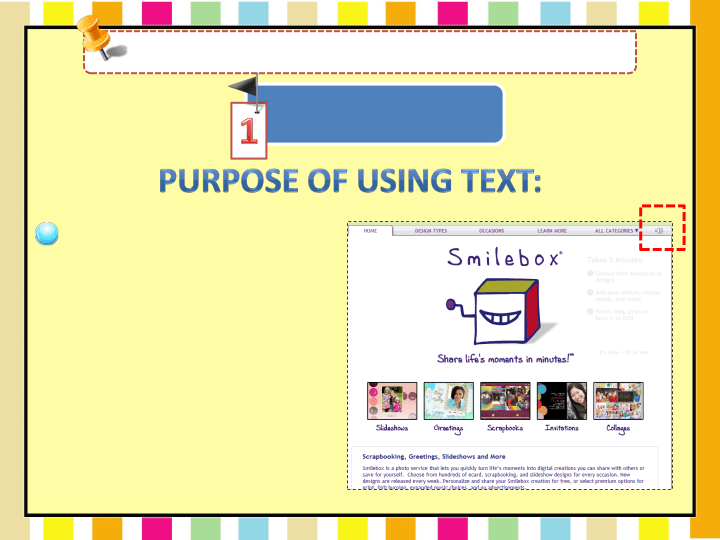
Text
Symbols and icons
-are concentrated text in
the form of stand-alone
graphic constructs. They
are used to convey
meaningful messages.
-Symbols used to convey
human emotions are
called emoticons.
-Icons are symbolic
representations of objects
and processes.
EXPLAIN THE PURPOSE OF EACH MULTIMEDIA ELEMENT
32

Text
Easy to edit or update
-Text element are easier to update or edit compared to
other element such as graphic or animation.
EXPLAIN THE PURPOSE OF EACH MULTIMEDIA ELEMENT
Clarifies other media
-Text element is used to clarify other media such as
graphic. Eg: instruction on how to use safety jacket.
33
Multiple Choice
To present information more attractively.
Can help organize thoughts and illustrate processes
To provide information
To communicate ideas, thoughts, and facts.
34

Graphic
Digital visual representations of photographs,
drawings, charts, and other visual images.
Used to present information
more attractively and
effectively
DESCRIBE THE ELEMENTS OF MULTIMEDIA
35

Graphic
Bitmap graphic
vector-draw graphic
Images that are made up
of set of bits or pixels.
Can include images that
come from a scanner,
photograph or images
from camera.
Images that are made up
of set of bits or pixels.
Can include images that
come from a scanner,
photograph or images
from camera.
Consists of line drawing.
Can include lines, shapes
such as rectangles, elipses,
arcs and typeset text.
Consists of line drawing.
Can include lines, shapes
such as rectangles, elipses,
arcs and typeset text.
DESCRIBE THE ELEMENTS OF MULTIMEDIA
36

Graphic
DESCRIBE THE ELEMENTS OF MULTIMEDIA
Bitmap graphics
•Bitmaps are an image format
suited for creation of:
–
Photo-realistic images
–
Complex drawings
–
Images that require fine
detail
37

Graphic
DESCRIBE THE ELEMENTS OF MULTIMEDIA
vector-drawn graphics
•Vector-drawn images are used
in the following areas:
– Computer-aided design (CAD)
programs
– Graphic artists designing for the
print media
– 3-D animation programs
– Applications requiring drawing of
graphic shapes
38

Graphic
DESCRIBE THE ELEMENTS OF MULTIMEDIA
BITMAP
VECTOR
File size
require more memory
space and have a
bigger file size
use less memory space
and have a smaller file
size
Download
duration
slow download through
web pages
fast download via plug-
ins
Quality of
image
Affected when edit or
resize
Do not effected (do not
distort) when edit or
resize
39
Multiple Choice
Which type of image format is constructed using proportional formulas rather than pixels?
Raster
JPEG
Vector
PNG
40
Multiple Choice

Vector Images
Are a collection of bits that form an image
Are made up of many individual scalable objects, these objects are defined by mathematical equations rather than pixels.
41
Multiple Choice

Bitmap Images
Are a collection of bits that form an image
Are made up of many individual scalable objects, these objects are defined by mathematical equations rather than pixels.
42

Graphic
DESCRIBE THE ELEMENTS OF MULTIMEDIA
VECTOR
BITMAP
Adobe Illustrator
Adobe Photoshop
CorelDraw
Paint Shop Pro
Vectr
GIMP
43

Graphic
Graphics are used in multimedia applications as:
Complementary element
- used as background and
texture
Main focus
- Logos, images, paintings,
figures and photographs
EXPLAIN THE PURPOSE OF EACH MULTIMEDIA ELEMENT
44

Graphic
To direct attention and add emphasis by using
pictures and icons.
EXPLAIN THE PURPOSE OF EACH MULTIMEDIA ELEMENT
45

Graphic
To explain concept that are difficult to be described with
the use of text by using diagrams, charts.
EXPLAIN THE PURPOSE OF EACH MULTIMEDIA ELEMENT
46

Graphic
To present information more attractively such as using
graphic
as
background
image
or
photo,
graphical
button and main object.
EXPLAIN THE PURPOSE OF EACH MULTIMEDIA ELEMENT
47

Graphic
Convey information more quickly than using text
EXPLAIN THE PURPOSE OF EACH MULTIMEDIA ELEMENT
Make complex information such as instruction more
simple
Make a presentation more attractive with colorful object
and background
Enhance communication with some disabled groups
such as autism
48
Multiple Choice

What is the purpose of this graphic?
to persuade
to advertise
to inform
to shock
49
Multiple Choice

What is the purpose of this graphic?
to shock
to inform
to entertain
to persuade
50
Multiple Choice

What is the purpose of this graphic?
to advertise
signposting
to entertain
to persuade
51
Multiple Choice

What is the purpose of this graphic?
To inform
To educate
To advertise
to entertain
INTRODUCTION TO MULTIMEDIA
Show answer
Auto Play
Slide 1 / 51
SLIDE
Similar Resources on Wayground

46 questions
Properties of Water
Presentation
•
9th - 12th Grade
46 questions
Photosynthesis
Presentation
•
9th - 12th Grade
44 questions
ALGEBRA STAAR REVIEW
Presentation
•
9th - 12th Grade
46 questions
DATA LAP
Presentation
•
9th - 12th Grade
46 questions
Inclined Planes
Presentation
•
9th - 12th Grade
45 questions
Exponential Growth and Decay
Presentation
•
10th - 12th Grade
47 questions
Journalism Vocabulary Part
Presentation
•
8th - 12th Grade
47 questions
English ACT Prep
Presentation
•
10th - 12th Grade
Popular Resources on Wayground
10 questions
How much do you know about our Portrait of an Eagle?

Quiz
•
10th Grade
10 questions
Fast Food Slogans
Quiz
•
6th - 8th Grade
21 questions
Continents and Oceans
Quiz
•
6th Grade
20 questions
Parts of Speech
Quiz
•
5th Grade
16 questions
Subject & Predicate
Quiz
•
5th Grade
25 questions
Multiplication Facts
Quiz
•
5th Grade
12 questions
Map Skills
Quiz
•
3rd Grade
22 questions
Continents and Oceans
Quiz
•
5th Grade