Search Header Logo
P6 Final S2 2024

P6 Final S2 2024

Assessment

Presentation

Computers

6th Grade

Practice Problem

Medium

Created by

Maja Rucman

Used 5+ times

FREE Resource

5 Slides • 19 Questions

1

media

2

Drag and Drop

A CPU does the
.
Drag these tiles and drop them in the correct blank above
input
storage
output
processing

3

Labelling

Label the picture.

Drag labels to their correct position on the image

Output

Information

Input

4

Categorize

Options (5)
Question image
Question image
Question image
Question image
Question image

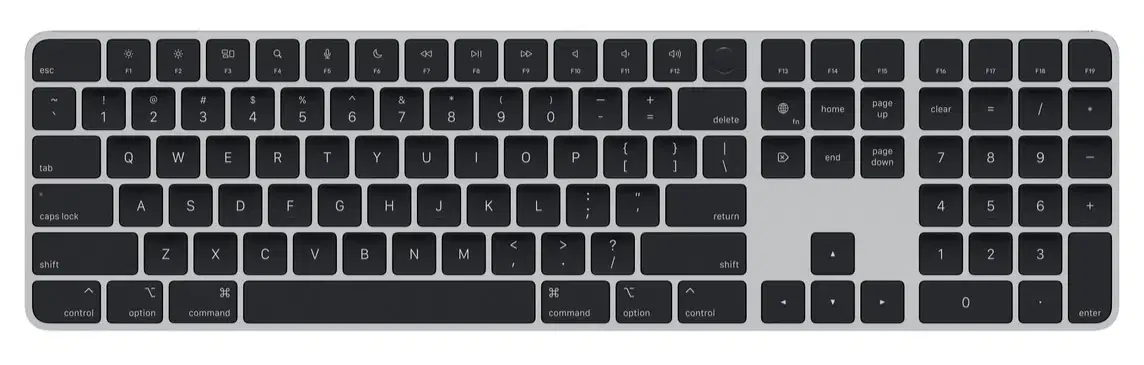
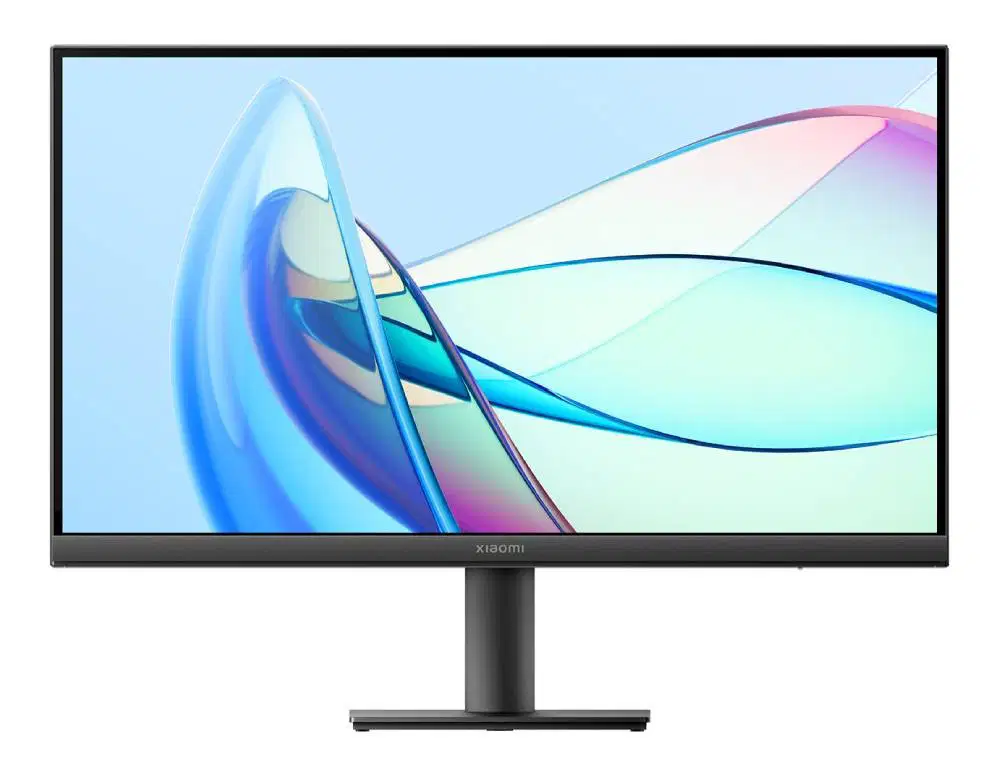
Organize inputs, outputs, and processing devices.

Input
Output
Processing

5

media

6

Dropdown

A computer needs to have a
stored in ​
to process inputs and send outputs.

7

Hotspot

Find ALL inputs on a micro:bit.

8

Multiple Choice

Question image

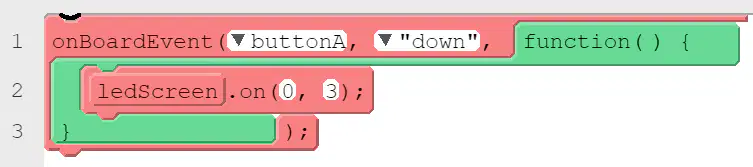
Look at the code. What will happen when we run this program?

1

When we press button A, LED 0,3 will turn on.

2

When we release button A, LED 0,3 will turn on.

3

When we press button A, LED 0,3 will turn off.

4

When we release button A, LED 0,3 will turn off.

9

Hotspot

Where in the toolbox can you find a "random" block that lets you choose a random number?

10

11

Multiple Select

How can we read "=" in computer science?

1

equals

2

assign

3

gets

4

store

12

Multiple Choice

Question image

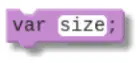
What can you do with this code block?

1

make a variable named "size"

2

make a value named "size"

3

store a value "size" in var

4

store a value "size" in a variable named "size"

13

Multiple Choice

Question image

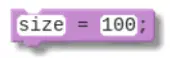
After using the 'var size;' block from the last slide, you can use this block to assign a value 100 to the variable named size. Why is there no keyword var in this block?

1

Keyword var is used to make a new variable.

2

Keyword var is used to make a new value.

3

Keyword var is used to assign a value.

4

Keyword var is used anytime you want to use it.

14

Multiple Choice

Question image

We can use this code block to do two things at once: make a new variable and assign a value. How can we read this code?

1

Make a variable named color1.

2

Make a variable named orange and assign value color1 to it.

3

Make a variable named color1 and assign value orange to it.

4

Assign value orange to variable color1.

15

Multiple Select

Question image

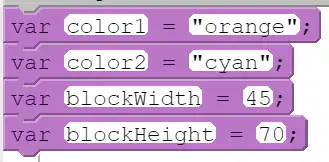
We used these code blocks to make new variables and assign values. Find ALL variable names.

1

orange

2

color2

3

45

4

blockWidth

16

Multiple Select

Question image

We used these code blocks to make new variables and assign values. Find ALL values.

1

orange

2

color1

3

45

4

70

17

Fill in the Blanks

media image

18

19

Fill in the Blanks

20

Multiple Choice
Question image

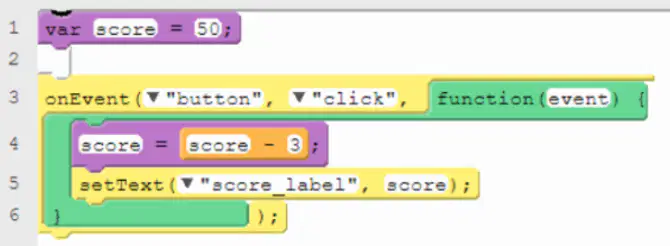
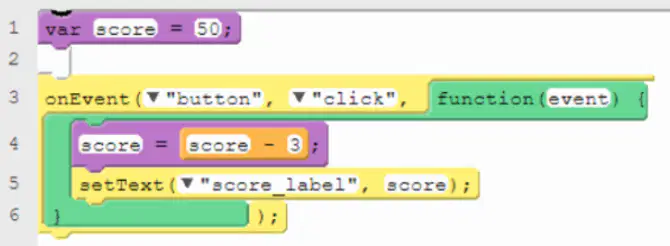
Look at the code. What will this program do if we run it?

1

When we click a button, score will increase by one.

2

When we click a button, score will decrease by one.

3

When we click a button, score will increase by three.

4

When we click a button, score will decrease by three.

21

Fill in the Blanks

media image

22

23

Multiple Choice

What are conditional statements or if statements?

1

Statements that run when a condition is FALSE.

2

Statements that run when a condition is TRUE

3

Statements that never run.

4

Statements that always run.

24

Multiple Choice

What question does == operator ask?

1

Is one value greater than the other?

2

Is one value less than the other?

3

Are two values equal?

4

Are two values different?

media

Show answer

Auto Play

Slide 1 / 24

SLIDE

Discover more resources for Computers