

Welcome to Prestige Tier 2

Presentation
•
Other
•
Professional Development
•
Practice Problem
•
Hard

Shutterfly Training Team
Used 3+ times
FREE Resource
15 Slides • 0 Questions
1
Welcome to
Prestige Tier 2
2
Adjustments for Prestige
Prestige Tier 2- What do we do?
Tracking Orders
Solo Stuck Orders
Held Orders
3
Prestige Tier 2 Phones
You already have the basics, we are just adding onto that base knowledge.
Example:
Instead of looking to see if a package shipped, you will now be able to take a detailed look at the tracking to say if/or when the customer received the package, or if it was being held by the shipping company for pickup.
4
Prestige Tier 2
Things to think about as a Prestige Tier 2 Agent
5
Prestige Tier 2- Overview
Was the lab instructions clear and precise?
Lab Instructions
Was the correct instruction type selected?
What should be in the lab instruction?
Was the order already submitted before the lab instructions were added?
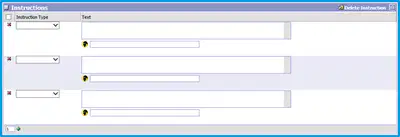
Was the lab instruction entered on the correct line?
6
Prestige Tier 2- Overview
Where is it located in Spectrum?
Where is it check marked?
Where do you see the charges?
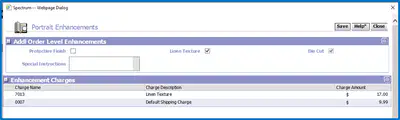
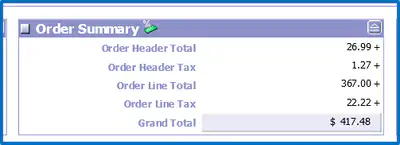
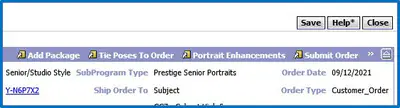
Linen Texture
7
Prestige Tier 2- Overview
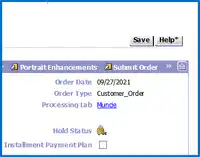
What does it mean if the order is on hold?
How do you tell if the order is on hold?
How to you put the order on hold and release it from the hold?
Holds

8
Prestige Tier 2- Overview
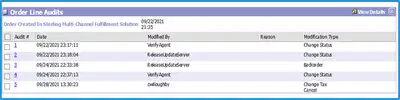
Why would I check the Audits?
How do I check the Audits?
Audits

9
Prestige Tier 2- Overview
Where is the package?
Shipping
Is it lost in transit?
Which items ship separately?
What if the package was turned by the shipper and reshipped to studio?
What if the tracking number in Spectrum does not work?
Tracking an Order
800 tracking numbers are UPS
Left In Parcel Locker
Holding for Pick Up
3rd Party Tracking
How to tell if an item shipped separately.
Where to find the 3rd Party Tracker?
Using Order number without dashes.
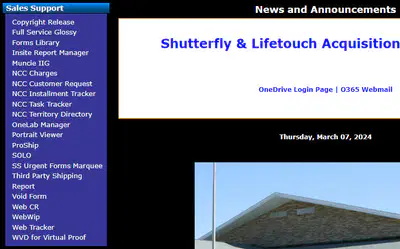
What is Wip and Ship?
10
Prestige Tier 2- Overview
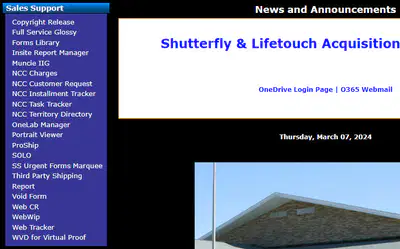
What if the tracking number in Spectrum doesn't work after 48 hours?
Pro Ship
Look for duplicate shipments.
What if the zip code doesn't work?
11
Prestige Tier 2- Overview
Automatically uploaded to the customer's Shutterfly account.
Digital Images
Customer must place qualifying order.
Uploaded once order has shipped
If qualifying package ordered, the digital images will be retouched.
No option for just one image.
Digital images for only the standard printed sheets in a package.
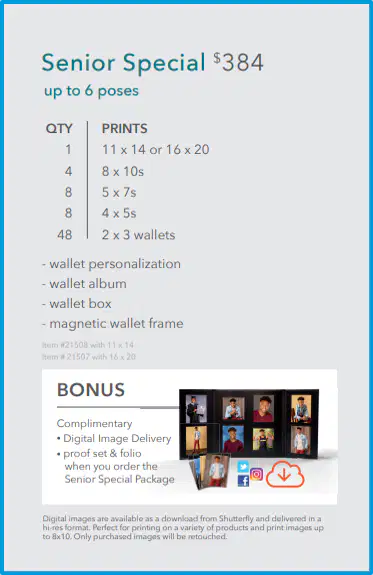
Canvas items and multi-image items will not count towards digital images.
12
Prestige Tier 2- Overview
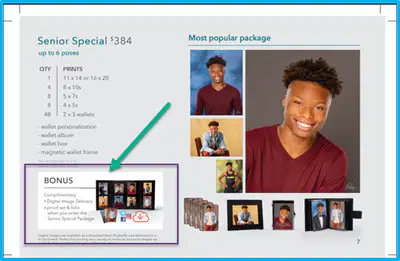
Digital Images W/ Printed Products
Only the 3 packages with Bonus items listed get digital images as well as printed products.
Senior Special Package
Family Package
Perfect Package
13
Prestige Tier 2- Overview
Digital Images Only
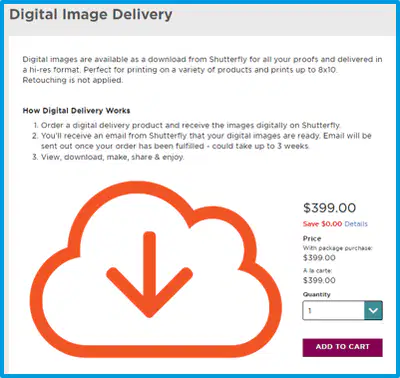
The Digital Image only options include:
All Pose Digital
10 Pose Digital Package
6 Pose Digital Package
3 Pose Digital Package
1 Pose Digital Package
All Pose Digital Package does NOT come with Retouching Options, the other Digital Packages can have it added.
14
Prestige Tier 2- Overview
Social Sharing Download
One additional Digital Image options that customers have access to is the Social Sharing Download.
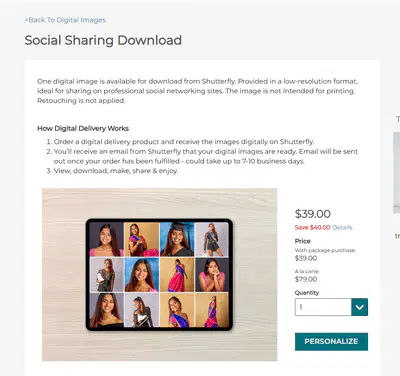
Downloads from Shutterfly
Low-Resolution Format
Not intended for Printing
Retouching is Not applied.
15

What questions can we answer for you?
Welcome to
Prestige Tier 2
Show answer
Auto Play
Slide 1 / 15
SLIDE
Similar Resources on Wayground

13 questions
SEL & Wellness Check-In
Presentation
•
KG - Professional Dev...
10 questions
Health Disparities
Presentation
•
Professional Development
13 questions
ACCOUNTING
Presentation
•
University
12 questions
Equity Lab - Data Review
Presentation
•
Professional Development
10 questions
4-Step-Critique-Process
Presentation
•
KG
11 questions
10 interesting facts about animals
Presentation
•
KG - Professional Dev...
11 questions
展望2034
Presentation
•
Professional Development
10 questions
PRESENT CONTINUOUS
Presentation
•
Professional Development
Popular Resources on Wayground
11 questions
Hallway & Bathroom Expectations

Quiz
•
6th - 8th Grade
10 questions
HCS SCI 03 Summer School Assessment 2
Quiz
•
3rd Grade
11 questions
Home Scope
Quiz
•
7th - 8th Grade
12 questions
2026 TAP Technology in the Classroom
Presentation
•
Professional Development
15 questions
HCS SCI 05 Summer School Assessment 2 Review
Quiz
•
5th Grade
15 questions
HCS SCI 04 Summer School Review 2
Quiz
•
4th Grade
59 questions
Geometry Unit 3 Review
Quiz
•
9th - 12th Grade
14 questions
FAST ELA READING SMAPLE TEST MATERIALS

Passage
•
3rd Grade