

Pumpkin design

Presentation
•
Computers
•
6th Grade
•
Practice Problem
•
Hard

ICT Lab4
Used 3+ times
FREE Resource
5 Slides • 0 Questions
1

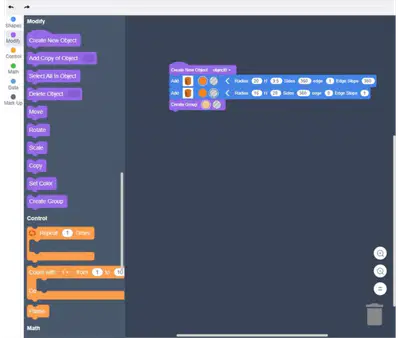

Make a 3D Printable Pumpkin With Codeblocks!: Page 7
2

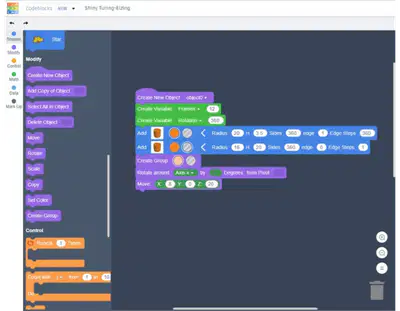

Make a 3D Printable Pumpkin With Codeblocks!: Page 8
3

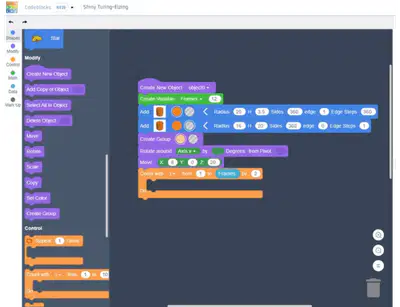
Step 4: Another Variable for Our Loop!
Now we have our loop ready, we need to put some code into it!Now we have our loop ready, we need to put some code into it!
First thing you’ll need is a Copy Copy block from the Modify Modify section (purple) - this will make a copy of the
shape we last created (the ring shape) but if you run your code at this point, you’ll see that it’ll just
duplicate the shape 12 times in the same spot so we need to move the copy with each loop.
We’re aiming for a circular shape here so each frame needs to be equally rotated to form a circular shape at the end - we want
to use 12 frames so what we really want is for each copy to be rotated by 30 30 degrees each time because 360 / 12 = 30360 / 12 = 30
Our FramesFrames variable can take the place of 12 12 in this equation already so we just need a variable to take the place of 360 360 �
Let’s grab another Create VariableCreate Variable block from the Math Math section (green) and place it underneath our
Frames variable at the top - we’ll call this one RRotation otation and set it to 360360.
To use this variable in our loop, we next need a Rotate Rotate block from the ModifyModify section (purple) - this will
go within the loop bracket.
We’ll be rotating around the Z axisZ axis.
In the box for byby you’ll need to replace the value with another block - you can �nd it in the
Make a 3D Printable Pumpkin With Codeblocks!: Page 11
4

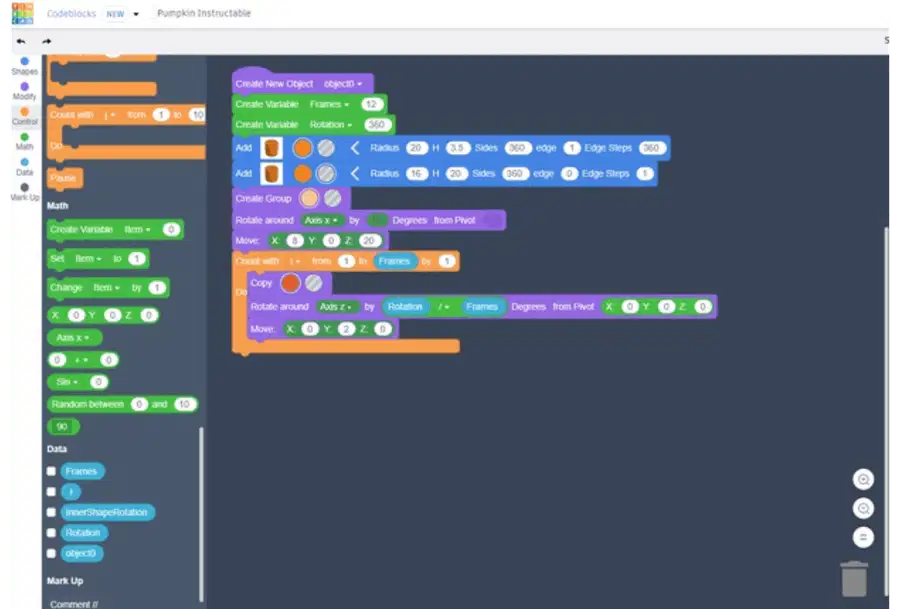
Math Math section (green) and it’ll say ‘0 + 0’ ‘0 + 0’ on it by default.
From the DataData section (blue) grab a Rotation Rotation variable block and replace the �rst ‘0’ ‘0’ with
this, change the operator operator from ‘+’ to ‘/’ ‘/’ and then replace the second ‘0’‘0’ with a FramesFrames
variable block. - you've now coded our equation from earlier 360/12 or Rotation/Frames!
Finally, you’ll need to change the pivot pivot too - by default, the Rotate block will rotate the
In the empty space beside Pivot Pivot in the Rotate AroundRotate Around block, you’ll need
another block from the Math Math section (green) it should say X:0 Y:0 Z:0X:0 Y:0 Z:0 - just
Now, I still think this is making a shape that’s a little too round for a pumpkin so let’s use another MoveMove
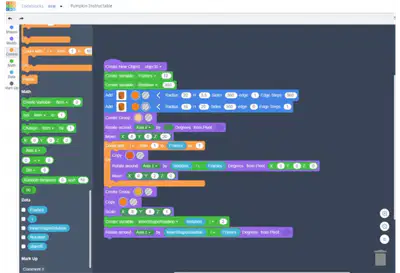
Great! That was de�nitely the most complex part of the whole make so just double check your work by running yourGreat! That was de�nitely the most complex part of the whole make so just double check your work by running your
code and making sure you see something like the gif above and the end shape looks like the last pic above too! Yourcode and making sure you see something like the gif above and the end shape looks like the last pic above too! Your
code should look something like the �rst pic!code should look something like the �rst pic!
Make a 3D Printable Pumpkin With Codeblocks!: Page 12
5

Make a 3D Printable Pumpkin With Codeblocks!: Page 18
Make a 3D Printable Pumpkin With Codeblocks!: Page 7
Show answer
Auto Play
Slide 1 / 5
SLIDE
Similar Resources on Wayground

7 questions
A Long Way Home Vocabulary
Presentation
•
6th Grade
2 questions
Primary 6 unit 1 L .1-2 expression and preposition
Presentation
•
6th Grade
2 questions
6th Grade Unit 5 ReTest #5
Presentation
•
6th Grade
2 questions
prepositions
Presentation
•
6th Grade
2 questions
Anh 6 GLOBAL U1 closer look 2
Presentation
•
6th Grade
5 questions
EE.4 Combining Like Terms
Presentation
•
6th Grade
7 questions
Indefinite Pronouns
Presentation
•
6th Grade
9 questions
Copyright
Presentation
•
6th Grade
Popular Resources on Wayground
10 questions
Safety Day 2026 – Student Review

Quiz
•
9th Grade
21 questions
Continents and Oceans
Quiz
•
6th Grade
20 questions
Parts of Speech
Quiz
•
5th Grade
16 questions
Subject & Predicate
Quiz
•
5th Grade
25 questions
Multiplication Facts
Quiz
•
5th Grade
12 questions
Map Skills
Quiz
•
3rd Grade
22 questions
Continents and Oceans
Quiz
•
5th Grade
15 questions
Rounding Decimals
Quiz
•
5th Grade