

Chapter 9 : Know your audience

Presentation
•
Computers
•
9th Grade
•
Practice Problem
•
Easy

Danur Rahmajati
Used 10+ times
FREE Resource
34 Slides • 6 Questions
1

ICT
Audiences
Audiences
Audiences
2

What we will learn about
audiences?
3

Objective
After studying this subtopic, you should be able to:
Understand how to show a clear sense of
audience and purpose
1.
Identify planning ICT solutions that are
responsive to and respectful of the needs of an
audience
2.
Explain how to analyse the needs of an
audience when creating ICT solutions
3.
4

They have different style and interest to talk
Teachers
Can you
think of
other
examples?
Writers
TV reporters
5


Most people have been unlucky enough to sit through long presentations that,
for some reason, have failed to engage with their audiences
6


Understanding your purposeUnderstanding your purpose
> To inform
> To persuade
> To entertain
7


To inform
Exp: Schools, Seminar
8


To persuade
Exp: Marketing, Motivator
9


To entertain
Exp: Music, Stand Up Comedy, ..
10


Analysing the needs of
your audience
11

Intention
Age
Gender
Experience with
technologyFinancial status
Location
An audience’s needs will vary according to many
factors, including many of the following.
12

Intention
13

14


AGE
15

GENDER
16


17


Experience with technology
18


19


Financial status
20


Location
21
Dropdown

22
Drag and Drop
23
Multiple Choice
According to the slide design, it created for ...
Adult
Elder
Children
Science
24


25
Categorize
Selamat siang
Hay Guys
Syntax
Jika Berkenan
Gak Boleh
Loop
Atur kata2 yang sesuai dengan target audience
26


How to Make Good
Presentation?
27


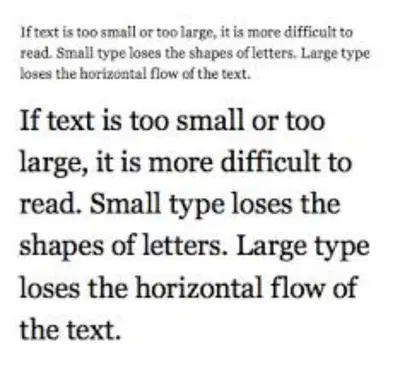
Amount of text
Text size
Colours
Images, Media
Duration
Participation
Icons
Interface complexity
There are multiple aspects of an ICT solution that
must be adapted to the audience.
28


Amount of text
The amount of text in a presentation is important. While you
may have lots of information to communicate, it is often better
to include only the key points on slides and explain the
remaining concepts verbally. If an audience is presented with
large paragraphs of text they will often either ignore the
presenter while they read it, or not read it at all. Another
common mistake is when the presenter simply reads out the
text on the slides to the audience, word-for-word.
29
Multiple Choice
Why previous slide is not good for presentation?
Lack of explanation, text too big, and color is too clear
30


Amount of text
“Keep presentation slides concise. Highlight key points and
explain details verbally. Large text blocks can distract or bore the
audience. Avoid reading slides word-for-word.
31


Text Size
32


WHAT
IS THIS
Colours
WHAT
IS THIS
WHAT
IS THIS
33


Images
34

MEDIA
MEDIA
MEDIA
35


Duration
36


Participation
37
Categorize
Asking question
Clap and Jump
Install App
Shout yel2 with movement
match activity for target audience
38


Icons
39


Interface
complexity
40

ICT
Audiences
Audiences
Audiences
Show answer
Auto Play
Slide 1 / 40
SLIDE
Similar Resources on Wayground

37 questions
Intro to photosynthesis and cellular respiration
Presentation
•
9th Grade
36 questions
Personal Entrepreneurial Competencies Part 2
Presentation
•
9th Grade
35 questions
Unit 1 Astronomy Vocab Review
Presentation
•
9th Grade
33 questions
DNA and Protein Synthesis Day 3
Presentation
•
9th Grade
36 questions
Projectile Motion
Presentation
•
9th Grade
36 questions
Exponent Rules
Presentation
•
8th - 9th Grade
37 questions
Angles formed by Parallel Lines cut by a Transversal
Presentation
•
9th - 10th Grade
36 questions
Word Problems
Presentation
•
9th Grade
Popular Resources on Wayground
6 questions
PRIDE Always and Everywhere
Presentation
•
12th Grade
20 questions
Lab Safety Quiz

Quiz
•
6th Grade
26 questions
KOR Review Kahoot Questions
Quiz
•
8th Grade
21 questions
Continents and Oceans
Quiz
•
6th Grade
12 questions
Unit Zero lesson 2 cafeteria
Presentation
•
9th - 12th Grade
20 questions
Parts of Speech
Quiz
•
5th Grade
10 questions
Riddles Riddles fun Riddles
Quiz
•
6th - 12th Grade
16 questions
Subject & Predicate
Quiz
•
5th Grade
