
What is IT? Lesson

Presentation
•
Instructional Technology
•
9th - 12th Grade
•
Easy

Amy Austin
Used 3+ times
FREE Resource
20 Slides • 10 Questions
1

Fundamentals of Computing: From Mainframes to IoT
2


Introduction to Information
Technology
●IT systems process, store, and transfer
information
●Involves many types of devices:
●• Computers
●• Servers
●• Mobile devices
●• Internet of Things (IoT) devices
●IT professionals manage anything with a
computer chip
●Why is IT important in today's world?
3

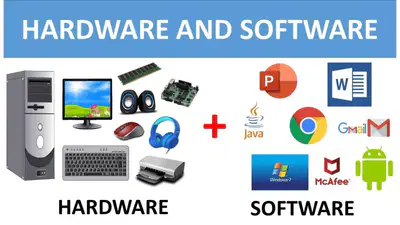
Hardware vs Software
●Hardware: Physical components you can
touch
●• Keyboards, mice, hard drives, memory,
CPUs
●Software: Programs and data you interact
with
●• Operating systems, applications like
Word, Excel, Chrome
●How do hardware and software work
together to make a computer function?
4

Basic Computer Processing
●Input: User types or clicks
●Processing: CPU handles instructions
●Output: Results displayed on screen
●Storage: Saving data for later use
●Can you think of examples for each step in this process?
5

Evolution of Computers: Mainframes
●Huge computers filling entire rooms
●Used vacuum tubes
●Performed simple tasks like census tabulation
●Used punch cards for input
●How do you think using these computers differed from using
modern devices?
6

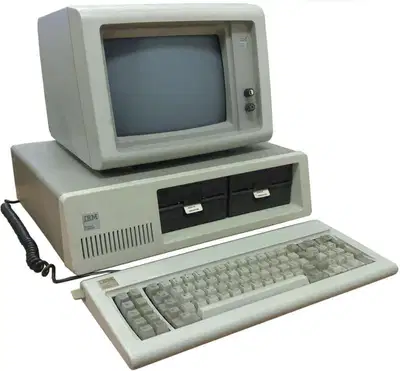
Personal Computers
(PCs)
●Emerged in the 1980s
●Brought computing to homes and offices
●Allowed for word processing, early internet
use
●Key players: IBM, Apple, Microsoft
●How did PCs change the way people
worked and lived?
7

The Internet
Revolution
●1990s: Widespread internet adoption
●Rise of websites and online services
●Email became common
●Early smartphones appeared
●What was life like before the internet? Ask
your parents or grandparents!
8

Modern Computing Landscape
●Smartphones
●Tablets
●Laptops
●Cloud computing
●Internet of Things (IoT)
●How many of these devices do you use daily?
9

Desktops vs Laptops
●Desktops:
●• Easier to upgrade
●• More powerful
●• Less portable
●Laptops:
●• Portable
●• Self-contained (screen, keyboard, speakers)
●• Often less powerful than desktops
●Which would you choose for school work? Why?
10

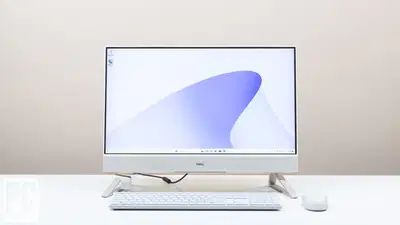
All-in-One Computers
●Combine CPU and monitor in one unit
●Sleeker, space-saving design
●Examples: iMac, Surface Studio
●Less upgradeable than traditional
desktops
●What are the pros and cons of this
design?
11

Servers: The
Backbone of IT
●Provide services to other computers
●More powerful and durable than regular
PCs
●Often rack-mounted in data centers
●Used for websites, databases, file storage
●Why do businesses need servers?
12

Mobile Devices: Smartphones and Tablets
●Evolved from PDAs (Personal Digital Assistants)
●Use solid-state storage (no moving parts)
●Sizes:
●• Smartphones: 4.5" to 5.7"
●• Phablets: 5" to 7"
●• Tablets: 7" to 10"
●How have mobile devices changed communication and daily life?
13

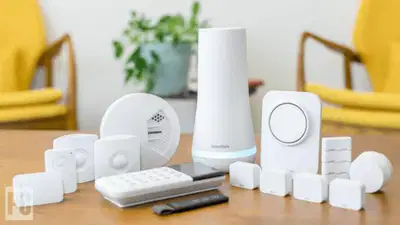
Internet of Things (IoT)
●Everyday objects connected to the internet
●Examples:
●• Smart lights
●• Thermostats
●• Security cameras
●• Medical devices
●How could IoT devices make your home or
school more efficient?
14

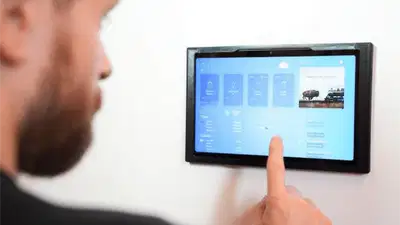
Home Automation
●Control home devices remotely
●Set schedules for lights, temperature, etc.
●Use voice commands with smart speakers
●Improve energy efficiency
●What would you automate in your home if
you could?
15

Gaming Consoles
●Specialized computers for playing games
●Have similar components to PCs
●Examples: PlayStation, Xbox, Nintendo Switch
●Some offer portable options
●How do gaming consoles differ from regular computers?
16

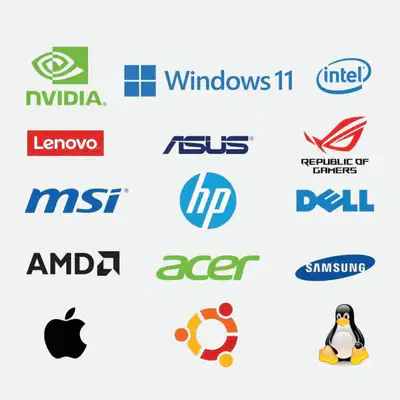
Original Equipment
Manufacturers (OEMs)
●Companies that build and sell computers
●Examples:
●• Dell
●• HP
●• Lenovo
●• Apple
●• Acer
●Which OEM made the device you're using
right now?
17

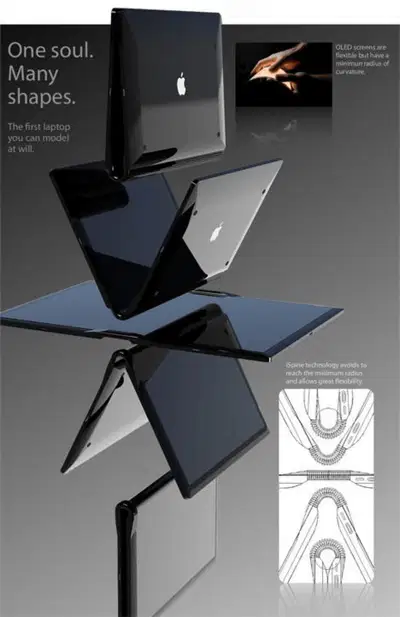
The Future of
Computing
●Artificial Intelligence and Machine
Learning
●Virtual and Augmented Reality
●Quantum Computing
●Wearable Technology
●What new technologies are you most
excited about?
18

Importance of IT Skills
●Growing demand for IT professionals
●High-paying career opportunities
●IT skills useful in many fields
●Continuous learning is key
●What IT skills would you like to develop?
19

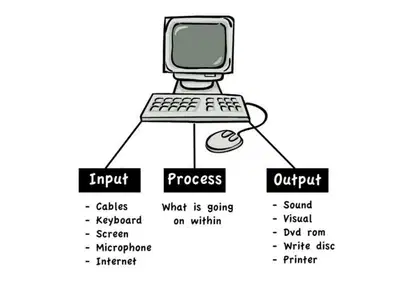
Review: Basic
Computer Process
●Input: User provides data or commands
●Processing: CPU handles instructions
●Output: Results displayed or actions taken
●Storage: Data saved for future use
●Can you explain this process using a
real-world example?
20

Conclusion: The
Connected World
●Computers have evolved from room-sized
to pocket-sized
●IT impacts nearly every aspect of modern
life
●Understanding basic IT concepts is crucial
●The field continues to grow and change
rapidly
●How do you think computing will change in
the next 10 years?
21
Multiple Choice
What do IT systems process, store, and transfer?
Energy
Information
Goods
Services
22
Multiple Choice
Which of the following statements is true about early mainframe computers?
They were used for gaming
They were used for simple tasks like census tabulation
They were used for video editing
They were used for social media
23
Multiple Choice
What impact did personal computers have on people's lives?
They made travel easier
They changed the way people worked and lived
They improved physical fitness
They reduced the need for education
24
Multiple Choice
Which of these devices is specifically designed for mobile use and often includes a touchscreen?
Desktop computer
Tablet
Mainframe
Server
25
Multiple Choice
Which device is typically used for personal computing and is portable?
Supercomputer
Laptop
Mainframe
Server
26
Multiple Choice
All-in-One computers are generally:
More upgradeable than traditional desktops
Less upgradeable than traditional desktops
Equally upgradeable as traditional desktops
Not upgradeable at all
27
Multiple Choice
What is one of the primary functions of servers?
To play video games
To provide services to other computers
To create graphics
To edit videos
28
Multiple Choice
How do IoT devices typically connect to the internet?
Through manual connections
Through wireless networks
Through physical cables only
They do not connect to the internet
29
Multiple Choice
Which gaming console is known for its portability?
PlayStation 4
Xbox One
Nintendo Switch
PlayStation 3
30
Multiple Choice
Which of the following is a non-portable gaming console?
Nintendo Switch
PlayStation 5
Game Boy
PSP
Fundamentals of Computing: From Mainframes to IoT
Show answer
Auto Play
Slide 1 / 30
SLIDE
Similar Resources on Wayground

24 questions
Computer Science Principles Unit 6 Review
Presentation
•
9th - 12th Grade
20 questions
Collecting Data
Presentation
•
9th - 11th Grade
21 questions
Web Design
Presentation
•
10th - 11th Grade
21 questions
Drone Technnology
Presentation
•
9th - 12th Grade
20 questions
Unit 3 - Set 1
Presentation
•
KG - University
20 questions
Argumentative Essay
Presentation
•
KG - University
22 questions
Basic for Computer Engineering Tools
Presentation
•
9th - 12th Grade
25 questions
Netiqueta, Derechos de Autor y Tic
Presentation
•
9th - 12th Grade
Popular Resources on Wayground
24 questions
PBIS-HGMS Day 10

Quiz
•
6th - 8th Grade
10 questions
HCS SCI 03 Summer School Review 3
Quiz
•
3rd Grade
11 questions
Home Scope
Quiz
•
7th - 8th Grade
15 questions
HCS SCI 05 Summer School Assessment 3 Review
Quiz
•
5th Grade
35 questions
Lufkin Road Middle School Student Handbook & Policies Assessment
Quiz
•
7th Grade
18 questions
Geo 11.3 Area of Circles and Sectors
Quiz
•
9th - 11th Grade