

Untitled Lesson

Presentation
•
Computers
•
Vocational training
•
Practice Problem
•
Hard

job gumbs
Used 1+ times
FREE Resource
75 Slides • 0 Questions
1

SYSTEM SOFTWARE &
APPLICATION SOFTWARE
2

3

4

5

6

7

8

9

What is an Operating system ?
Operating System lies in the category of system
software. It basically manages all the resources of the
computer. An operating system acts as an interface
between the software and different parts of the
computer or the computer hardware. The operating
system is designed in such a way that it can manage
the overall resources and operations of the computer.
10

Operating System is a fully integrated set of specialized
programs that handle all the operations of the computer. It
controls and monitors the execution of all other programs
that reside in the computer, which also includes application
programs and other system software of the computer.
Examples of Operating Systems are Windows, Linux, Mac OS,
etc.
An Operating System (OS) is a collection of software that
manages computer hardware resources and provides
common services for computer programs. The operating
system is the most important type of system software in a
computer system.
11

12

Kernel - The Communication Mode
We know that the OS forms the interface between hardware
and software. But how does the communication take place
between these two layers.
This is where the Kernel comes in. Kernel is a computer
program used to convert the access request of an
application program (Software) into instructions,
understandable by the computer processor and other
input/output devices (Hardware).
The language used for this communication is mainly done in
the form of Binary, containing 0s and 1s.
13

14

15

16

17


18

19

Functions of Device Management
●
Keeps track of all devices and the program that is
responsible for performing this is called the I/O controller.
●
Monitoring the status of each device such as storage
drivers, printers, and other peripheral devices.
●
Enforcing preset policies and making a decision on which
process gets the device when and for how long.
●
Allocates and deallocates the device efficiently.
20

Types of Device Management
There are three main types of devices:
●
Boot Device: It stores information in a fixed-size block, each
one with its own address. Example, disks.
●
Character Device: It delivers or accepts a stream of
characters. the individual characters are not addressable.
For example, printers, keyboards etc.
●
Network Device: It is for transmitting data packets.
21

22

23

I/O Communication and I/O Controller
In a Computer System, in addition to the CPU and Main Memory,
Input/Output (I/O) is a major functional subsystem. Input/Output
System provides a mechanism for communication between the CPU
and the external world. I/O subsystem connects the external
devices like Keyboard, Mouse, Monitor, Joystick, Pendrive and
internal devices like Hard Disk, CD to the Computer. Internet
connection is also part of the I/O. We know the functioning
principles and characteristics of these devices are widely different
from each other. So, what can simplify the technical issues involved
in connecting these wide varieties of devices? The answer is to
establish applicable communication standard(s).
24

25

The I/O communication is simplified to a set of requirements consisting of
three parts of Where, What and How? i.e.
●Where? - Identification of the device under communication – The
device and location within the device Ex: Select the Printer.
●What? - What is the type of communication? i.e sender? Receiver?
(Read/Write?)
●How? - How much to be communicated? ( Number of bytes to/from
Memory/file)
26

27
28

29

30

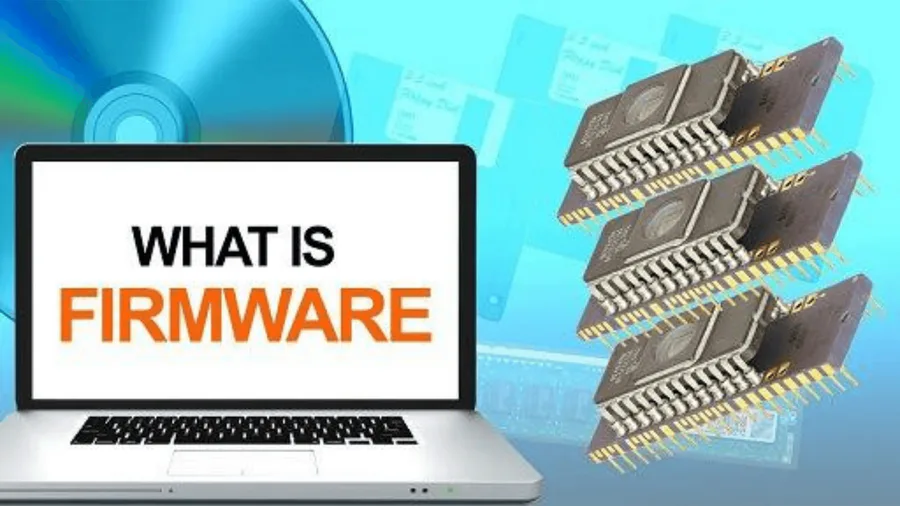
Types of Firmware:
● System
firmware:By
controlling
the
flow
of
instructions and data between the hardware and software
components, system firmware is responsible for providing
critical boot and runtime services to the system as a whole.
As a result, system firmware manages a device’s core
functions
such
as
hardware
initialization,
system
configuration, and power management.
31

● Device firmware: Device firmware is associated with
a particular device integrated into a system. A firmware
update is a software program that can be used to update
the firmware in these devices. Firmware updates can be
used to improve the device’s performance, reliability, and
security.
32

33

34

BIOS stands for Basic Input/Output
System. BIOS is a fundamental component
of Computer Systems, serving as a bridge
between the hardware and the Operating
System. This critical firmware is embedded
in the motherboard, providing essential
functionalities for the system’s
initialization and operation.
35

36

37

38

39

40

41

42

43


44

45

Boot Loader:
Boot Loader is a software program that is responsible for
“actually loading” the operating system once the Boot
Manager has finished its work. And by loading Operating
System we mean “loading the kernel of the Operating
System”. The Boot Loader is typically a part of the
Operating System itself. Till the point Boot Loader starts
loading the OS, there is nothing in the Main Memory of
the machine.
46

security
47

Security
48

What Is Software Programming?
Software programming a profession within the
computer technology field that primarily deals with
writing code. Read on to get a programming and
software development definition as well as a
computer software programmer job description.
49


50

Software programming is the act of writing computer code
that enables computer software to function. The computer
technology field often has overlapping terminology that
can be confusing to discern. Software programming is not
the same as software development. Development is the
actual design of a program while programming is the
carrying out of the instructions of development. People
who program software are called computer programmers.
51

52

Types of Software Programming
Software programs are usually categorized into the programming
languages that are compatible with them.
●
JavaScript. JavaScript is commonly used on websites to add
interactive elements.
●
SQL (Structured Query Language). SQL is a database query language
that allows websites to transfer data from large databases.
●
Python. Python is a language used for a wide variety of things, from
web apps to data analysis.
●
Java. Java is typically used in video games and mobile apps,
including apps for Android devices.
●
C#. Comparable to Java, C# is used for Microsoft apps.
53

54

55

What is an Application Software?
The term “application software” refers to software
that performs specific functions for a user. When a
user interacts directly with a piece of software, it is
called application software. The sole purpose of
application software is to assist the user in doing
specified tasks. Microsoft Word and Excel, as well as
popular web browsers like Firefox and Google
Chrome, are examples of application software.
56

Functions of Application Software
Application software programs are created to help with a wide range of tasks. Here are a few
examples:
●Information and data management
●Management of documents (document exchange systems)
●Development of visuals and video
●Emails, text messaging, audio, and video conferencing, and cooperation are all options.
●Management of accounting, finance, and payroll
●Management of resources (ERP and CRM systems)
●Management of a project
●Management of business processes
●Software for education (LMS and e-learning systems)
●Software for healthcare applications
57

58

59

60

●Helps the user in completing specified tasks: Application software is
designed with the user in mind. They help the end-user with specialized
tasks in a variety of industries, including education, business, and
entertainment. Microsoft Word, for example, is popular application
software that allows users to create, edit, delete, and do other tasks with
Word documents.
●Manages
and
manipulates
data:
Business
companies
utilize
application software to manage and manipulate employees, customers, and
other databases. Enterprise resource management systems and customer
relationship management systems are two common examples of application
software.
61

● Allows users to effectivelyorganizeinformation:
Individual users can use application software to efficiently
create and handle large amounts of data. Microsoft Excel,
for example, is popular application software that allows
users to manage datasheets.
62

63

64

●
Freeware: It is offered for free, as the name implies. You can utilize
freeware application software that you can obtain from the Internet.
This software, on the other hand, does not allow you to change it or
charge a fee for sharing it. Examples include Adobe PDF, Mozilla
Firefox, and Google Chrome.
●
Shareware: This is given away to users for free as a trial, usually with
a limited-time offer. If consumers want to keep using this application
software, they will have to pay. WinZip, Anti-virus, and Adobe Reader
are instances of shareware.
65

●
Open-source: This type of application software comes with the source
code, allowing you to edit and even add features to it. These could be
offered for free or for a fee. Open-source application software includes
Moodle and Apache Web Server.
●
Closed source: This category includes the majority of the application
software programs used nowadays. These are normally charged, and the
source code is usually protected by intellectual property rights or
patents. It usually comes with a set of restrictions. Microsoft Windows,
Adobe Flash Player, WinRAR, macOS, and other operating systems are
examples.
66

●Word Processing Software: Word Processing Software can be
explained as software that has the functionalities of editing,
saving, and creating documents with Word Processor Software
like Microsoft Word.
●Spreadsheet Software: Spreadsheet Software is a kind of software
that deals with the worksheet where it works on some automated
version to perform numeric functions. For Example, Microsoft
Excel.
●Presentation Software: It is a type of application software that is
used to present some applications like newly launched functions,
products, etc. For Example, Microsoft Powerpoint.
67

● Multimedia Software: Multimedia refers to the mixture of
audio, video, image, text, etc., and can be displayed or used
with the help of multimedia software. There are so many
media players that do this kind of work.
● Web Browsers: Web Browser is one of the most used
applications worldwide, it takes you to the internet. You can
use your desktop, mobile, etc for using this.
68

Application Software
Some examples of application software are:
●System for Hotel Management: It relates to the hotel industry’s
management strategies. Hotel administration, accounting,
billing, marketing, housekeeping, and front office or front desk.
●System for Payroll Management: It is a term used by all modern
businesses to refer to every employee who receives a regular
salary or another form of payment. The payroll software
calculates all different payment options and generates the
relevant paychecks. Employee salary slips can also be printed
or sent using this software.
69

●System for Human Resources Management: It describes the systems and
activities that exist at the nexus of Human Resource Management (HRM)
and Information Technology (IT). The HR department’s role is primarily
administrative and is found in all businesses.
●Attendance Recording System: It’s a piece of software that tracks and
optimizes a person’s or student’s presence in an organization or school.
Nowadays, customers’ existing time/attendance recording devices, such as
biometrics/access cards, can be connected with attendance systems.
Attendance management can be accomplished in two ways: Integration of
biometrics & Integration of manual attendance
●System of Billing: It is the billing software that is utilized to complete the
billing process. It keeps track of marked products and services given to a
single consumer or a group of customers.
70

Business Application Software
●
Customer Relationship Management (CRM): CRM is a
type of technology that can manage the customer,
transactions of customers, future transactions, etc. It is
very important nowadays. It helps in expanding
business to the next level as it stays connected with
customers, keeping more revenues, and less tension.
71

72

73

●Enterprise Resource Planning (ERP): Enterprise Resource
Planning is a type of Software that handles some basic parts of
any operation, resource management, etc.
●Project Management Software: Project Management Software is
also a useful application software that helps in the planning of
the project, and allocation of resources. It helps in effectively
managing the project from a single place.
●Database: DBMS (Database Management System) is a way to
keep data in an automatic system. Here, various types of
operations can also be performed in the database.
74

● Business
Process
Management:
Business
Process
Management Software help in enabling repetitive task
automatically by applying some specific technique.
● Resource Management Software: Resource Planning
Software is a simple software used to maintain the capital
of the organization. It also helps in the allocation of
projects.
75

SYSTEM SOFTWARE &
APPLICATION SOFTWARE
Show answer
Auto Play
Slide 1 / 75
SLIDE
Similar Resources on Wayground

73 questions
みんなの日本語初級1第1課
Presentation
•
Professional Development
73 questions
VOWERLS AND CONSONANTS (L1)
Presentation
•
Professional Development
66 questions
DSM1244(5) ESRM LIFECYCLE
Presentation
•
Professional Development
66 questions
Parts of speech_Determiners
Presentation
•
KG - University
74 questions
FTCE Mathematics 6-12 Practice Version 2 Day 2
Presentation
•
Professional Development
66 questions
Best Operation Practices (BOP) Training
Presentation
•
Professional Development
71 questions
Lesson 4 and 5: Today's lesson is all about: People
Presentation
•
Professional Development
68 questions
IMS Awareness CL 8- CL10
Presentation
•
Professional Development
Popular Resources on Wayground
20 questions
STAAR Review Quiz #3

Quiz
•
8th Grade
20 questions
Equivalent Fractions
Quiz
•
3rd Grade
6 questions
Marshmallow Farm Quiz
Quiz
•
2nd - 5th Grade
20 questions
Main Idea and Details
Quiz
•
5th Grade
20 questions
Context Clues
Quiz
•
6th Grade
20 questions
Inferences
Quiz
•
4th Grade
19 questions
Classifying Quadrilaterals
Quiz
•
3rd Grade
12 questions
What makes Nebraska's government unique?
Quiz
•
4th - 5th Grade