

NEA Research Submission

Presentation
•
Other
•
4th Grade
•
Hard

James McLaughlin
Used 3+ times
FREE Resource
15 Slides • 0 Questions
1
Research and Exporting
Do Now
1) Log into Computer
2) Access Media Share
3) Open Folder Number 4: Research
4) Open Word Document: Research Submission
5) Log into Newground (formally Quizizz) using the code on the right - joinmyquiz.com


2
Lesson Objectives
1) Complete Research Submission
2) Progress with coursework (Poster and DVD Cover)
3) Export all work as PDF and place in Submission Folder
3
Complete Research Submission
4
Research Submission Document
The Research and Planning section is completed to show to examiner how you've prepared for your media production. It demonstrates that you’ve studied real media products to understand their conventions and that you've used planning tools to develop your own ideas. This helps prove your final product is well-informed, creative, and appropriate for your chosen genre and audience.
5
A. Research and Planning (write 3–4 sentences)
🔍 Research Prompts
1) What existing DVD covers or posters did you look at?
2) What features or conventions did you notice (e.g. layout, colours, fonts)?
3) How did your research influence your own poster or DVD design?
🗂️ Planning Prompts
1) What planning documents did you create (e.g. mind map, concept art)?
2) What did these documents help you plan or decide?
3) How did your planning help improve your final product?
Example (for teen drama):
I analysed the DVD cover for The Fault in Our Stars and the poster for To All the Boys I’ve Loved Before. These examples helped me understand how teen dramas use soft colour palettes, handwritten fonts, and close-up images to convey emotion and target a young audience. I used these conventions in my own production to appeal to a similar demographic.
Example (for action film):
I studied the DVD cover of John Wick and the poster for Extraction, focusing on bold typography, moody lighting, and action-based imagery. This research helped me include key genre conventions such as weapon props, urban backgrounds, and dynamic poses to target action fans aged 15+.
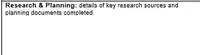
WRITE HERE
6
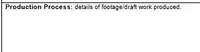
B. Production Process
🎬 Production Process Prompts
1) What did you create first — the poster, DVD cover, or both?
2) What software did you use to create your draft(s)?
3) What feedback did you receive from your teacher or classmates?
4) What changes did you make based on the feedback?
5) How did your final version improve compared to the first draft?
WRITE HERE
Example:
I created an initial draft of both the poster and DVD cover using Adobe InDesign. After feedback, I adjusted the layout to make the tagline more visible, changed the background colour for better contrast, and added a spine and age rating to meet DVD conventions. I also retook my main image with better lighting and used photo editing to enhance shadows and contrast.
7
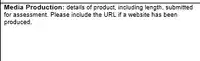
C. Media Production
🖼️ Media Production Prompts (x5)
1) What is the title of your media product?
2) What type of product did you create (e.g. poster and DVD cover)?
3) What genre is your product (e.g. action, teen drama)?
4) Who is your target audience?
5) How many pieces/pages did you submit, and in what format (e.g. A3, PDF)?
WRITE HERE
Example:
My final product is titled After the Fall. It includes a complete marketing poster and DVD cover, submitted as two separate A4 designs. Both items follow teen drama conventions and are designed to appeal to a 13–17 female audience. No URL is required.
Alternative (for action film):
My production is a promotional DVD cover and poster for the film Crossfire. Both pieces were completed to a professional standard using Adobe Photoshop and submitted as print-ready A4 pages. They reflect action genre conventions and target a male audience aged 15–25.
8

D. References
References:
[Write] Barcodes, Production Logos and DVD branding taken from Google Images
WRITE HERE
9
E. References and Software
💻 Software Packages Prompts (x5)
1) What software did you use to edit your images?
2) What software did you use to design your layout?
3) What software did you use to write your aims or notes?
4) What software did you use to present your planning or research?
5) How did each piece of software help you improve your final product?
WRITE HERE
Example
I used Adobe Photoshop to edit and enhance my main images, including adjusting brightness, contrast, and adding visual effects. Adobe InDesign was used to lay out both the DVD cover and poster, allowing me to position text, images, and design elements precisely. I also used Microsoft Word to plan and write my statement of aims and intentions, and Microsoft PowerPoint to present my research findings and mood board during the planning stage.

10
Lesson Objectives
1) Complete Research Submission
2) Progress with coursework (Poster and DVD Cover)
3) Export all work as PDF and place in Submission Folder
11
Lesson Objectives
1) Complete Research Submission
2) Progress with coursework (Poster and DVD Cover)
3) Export all work as PDF and place in Submission Folder
12
Exporting
13
C. References and Software
🖨️ Exporting a PDF from InDesign (Mac) to the Submission Folder
Open your InDesign file.
Go to File > Export.
Name your file clearly (e.g. YourName_Poster.pdf).
Click Save.
Click Export
14
Lesson Objectives
1) Complete Research Submission
2) Progress with coursework (Poster and DVD Cover)3) Export all work as PDF and place in Submission Folder
15
End of Lesson
Research and Exporting
Do Now
1) Log into Computer
2) Access Media Share
3) Open Folder Number 4: Research
4) Open Word Document: Research Submission
5) Log into Newground (formally Quizizz) using the code on the right - joinmyquiz.com
Show answer
Auto Play
Slide 1 / 15
SLIDE
Similar Resources on Wayground

11 questions
Multi-step word problems
Presentation
•
4th Grade
11 questions
Inflectional Endings /ed/ ing/
Presentation
•
4th Grade
11 questions
Explorers
Presentation
•
4th Grade
11 questions
NBT 5 & 6
Presentation
•
4th Grade
11 questions
Multiple Meaning Words
Presentation
•
3rd - 5th Grade
10 questions
Adding and Subtracting Fractions with Like Denominators
Presentation
•
4th Grade
10 questions
Shadows
Presentation
•
4th Grade
11 questions
4.6B - Lines of Symmetry
Presentation
•
4th Grade
Popular Resources on Wayground
10 questions
Safety Day 2026 – Student Review

Quiz
•
9th Grade
21 questions
Continents and Oceans
Quiz
•
6th Grade
20 questions
Parts of Speech
Quiz
•
5th Grade
16 questions
Subject & Predicate
Quiz
•
5th Grade
25 questions
Multiplication Facts
Quiz
•
5th Grade
12 questions
Map Skills
Quiz
•
3rd Grade
22 questions
Continents and Oceans
Quiz
•
5th Grade
15 questions
Rounding Decimals
Quiz
•
5th Grade
Discover more resources for Other
20 questions
Inferences
Quiz
•
4th Grade
20 questions
Multiplication and Division Facts
Quiz
•
4th Grade
10 questions
3 digit by 1 digit multiplication
Quiz
•
4th Grade
15 questions
Subject/Verb agreement
Quiz
•
4th Grade
21 questions
Multiplication Facts
Quiz
•
4th Grade
10 questions
Subtraction with Regrouping
Quiz
•
4th Grade
8 questions
Context Clues Practice
Quiz
•
4th Grade
10 questions
Multiplication Facts
Quiz
•
4th Grade