Search Header Logo
ICT October Revision G5

ICT October Revision G5

Assessment

Presentation

Computers

1st - 5th Grade

Practice Problem

Easy

Created by

Yassmin samir

Used 3+ times

FREE Resource

4 Slides • 21 Questions

1

media

2

Multiple Choice

What does ICT stand for?

1

Information and Communication Technology

2

Internet and Computer Technology

3

Interactive Communication Tools

4

Information and Computer Technology

3

Fill in the Blanks

media image

4

media

5

Multiple Choice

It transmits audios and videos from/to devices.

1

Ethernet

2

HDMI

3

Router

4

Port

6

Multiple Choice

Like HDD, but much faster, It connects directly to the computer ports.

1

Ethernet Port

2

External Hard Drive

3

Ethernet Cable

4

Router

7

Fill in the Blanks

8

Multiple Choice

What is the smallest unit of data?

1

Bit

2

Byte

3

Kilobyte

4

Megabyte

9

Multiple Choice

It measures the number of cycles your CPU carries out

per second

1

Mbps

2

Bit

3

GHz

4

MB

10

Multiple Choice

What is a hardware component that connects a device or computer to a network?

1

Router

2

Video card

3

Motherboard

4

Cable

11

media

12

Multiple Choice

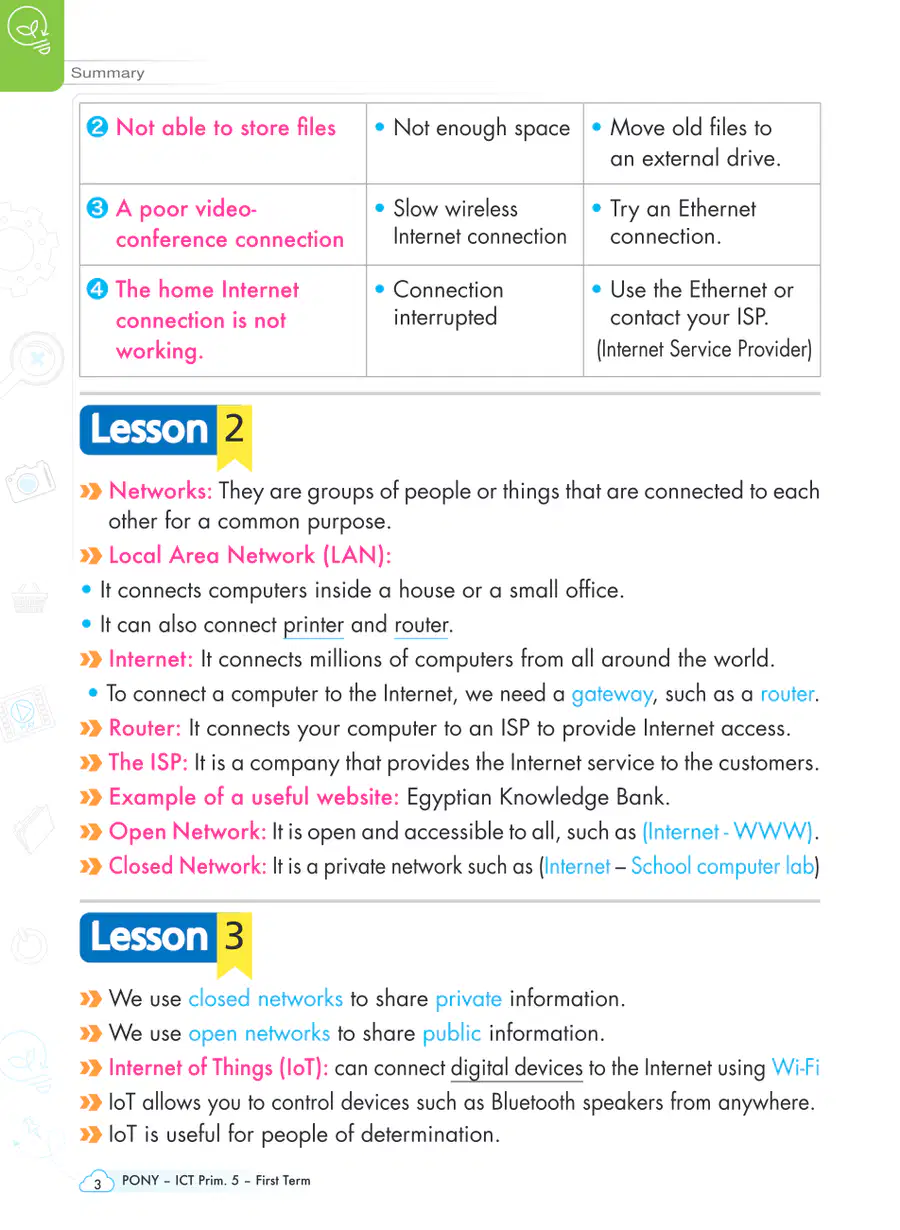
This type of network is more secure

1

Internet

2

Intranet

13

Multiple Choice

This type of network is global.

1

Internet

2

Intranet

14

Multiple Choice

This network device connects a LAN to the internet.

1

Flash memory

2

Router

15

Multiple Choice

What is LAN?

1

A network of computers in the same building.

2

A long-distance communication network.

16

Multiple Choice

"ISP" stands for Internet Service Provider

1

True

2

False

17

Multiple Choice

Question image
Why use a network?
1
Share viruses
2
To lose data
3
To easily share documents

18

Multiple Choice

It's recommended to update sofware programs on your computer

1
2

19

Fill in the Blanks

20

Multiple Choice

Which network covers a large geographical area?

1

LAN

2

WAN

21

media

22

Multiple Choice

What steps can you take if there is no internet connection?

1

Use software to troubleshoot

2

Check the router

3

Restart your router

4

All of the above

23

Multiple Choice

What should you do if the computer slows down when opening an app?

1

Shut it down and restart it

2

Check for software updates

3

Delete unwanted apps

4

All of the above

24

Multiple Select

What are the five steps to solve computer problems?

1

Identify the problem

2

Plan solutions

3

Try the solutions

4

Review

5

Ask for help

25

Poll

How confident do you feel about this topic now?

Very confident
Somewhat confident
Not confident
media

Show answer

Auto Play

Slide 1 / 25

SLIDE

Discover more resources for Computers