

OTT Math Scavenger Hunt (3)

Presentation
•
Education
•
1st - 5th Grade
•
Practice Problem
•
Easy

Karey Wengert
Used 11+ times
FREE Resource
23 Slides • 24 Questions
1
Welcome to the DRC Scavenger Hunt!
We need to get into PARTNER pairs.
One student will go to the OTT. One student will stay on this wayground.
Then you will need to answer the questions that follow.
Good luck!
2
Multiple Choice
What app do I click on to get to OTT?
3
Hotspot
Where do I click to get to the test?
4
Hotspot
Where should I click to get to SC Ready?
5
Hotspot
Where should I click to get to the Online Tools Training?
6
Hotspot
Where should I click to get to the Mathematics tools training?
7
Hotspot
Where should I click to get to the Standard test?
8
Hotspot
Where should I click to get to the 3-5 test?
9
Hotspot
After making sure information is correct, where do you click?
10
Hotspot
After reading the directions, where do you click?
11
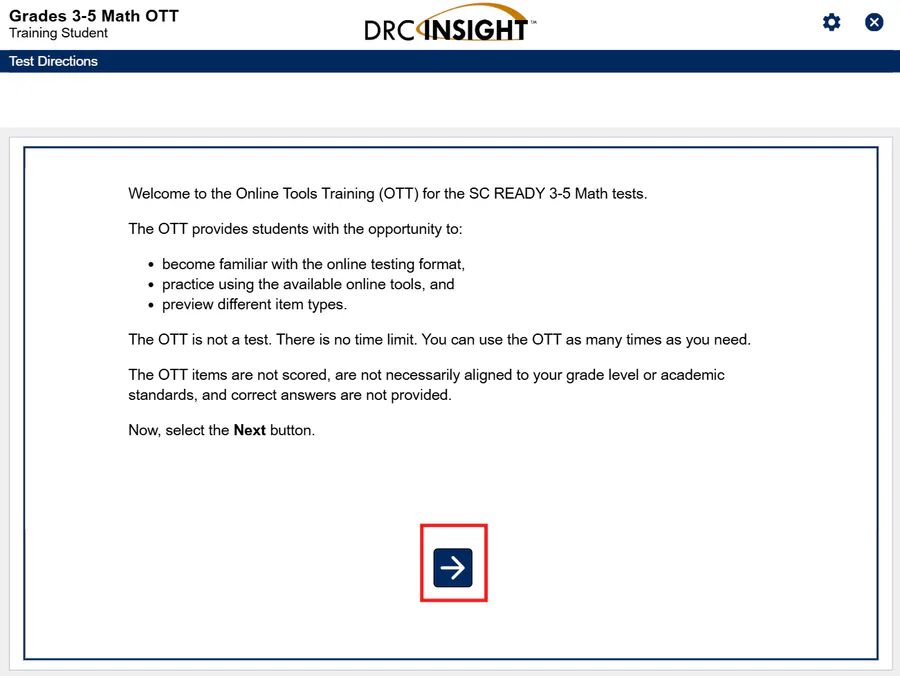
Go through all the directions by clicking the next button at the bottom of the page.
12

Allows you to choose the right answer to questions or click on things on the screen
13
Allows you to cross off a wrong answer
14
Allows you to highlight things in a question or answer
15
Lets you zoom in and make the screen appear larger
16
Allows you to mark a question to go back to it and answer it later
17
Lets you look at all of the questions and see which ones you haven't answered and which ones are flagged
18
Match

Match the tools correctly:
Magnifier Tool
The Next Button
Flag Tool
Pointer Tool
Cross-Off Tool
Magnifier Tool
The Next Button
Flag Tool
Pointer Tool
Cross-Off Tool
19
Drag and Drop
The tool that lets you mark out a wrong answer:
A tool that lets you highlight things:
A tool that lets you flag a question to go back to later:
The tool that lets you make things bigger:
20
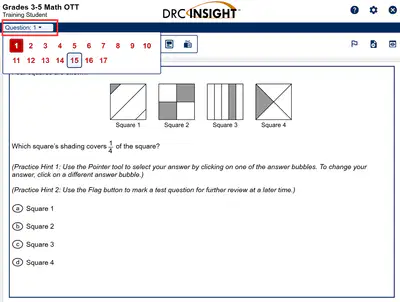
You can click this dropdown to go to a specific question
21
Hotspot
You can click the question number at the top and go to any question in the test. Click where you would click to go to Question 7
22
How do you make the small charts at the bottom bigger?
23
Multiple Choice
Go to Question 4
What do you need to click to be able to see the charts in the question?
Select to Enlarge
Click the bar graph
Click the flag tool
24
How do you put the bars in the right place?
Let both partners try!
25
Where do you click to get all of the bars to disappear if you made a mistake?
26
Multiple Choice
Go to Question 6
What do you click to erase the bars and start again if you made a mistake?
Click the animal
Click the question mark button
Click the circle of arrows button
27
How do you get the minute hand to appear?
Let both partners try!
28
Multiple Choice
Go to Question 7
How do you get the minute hand to appear?
Click the question mark button
Click the circle of arrows button
Click the hour hand dropdown button
29
Read the directions. Take a picture of your completed rectangle!
30
Open Ended
Go to Question 8
Read the directions. Take a picture of your completed rectangle and add it to this response.
31
What do you have to do to answer this question?
32
Multiple Choice
Go to Question 9
How do you answer this question?
Click on the correct number below and drag it into the box below the money
Click the question mark button
Use the ruler to measure the boxes
33
Where do you click to find the ruler to measure the mouse?
34
Hotspot
Go to Question 10
Where do you find the ruler to measure the mouse?
35
What do the three buttons do on the ruler? Let both partners try!
36
Labeling
Stay on Question 10
Click on measurement tools and click the Inches Ruler
Label the ruler controls.
Rotate Ruler
Delete Ruler
Move Ruler
37
Can you use the keyboard to help you type the right answer?
38
Multiple Choice
Go to Question 13
Click into the answer box. Can you use the keyboard to type in the answer box?
Yes
No
39
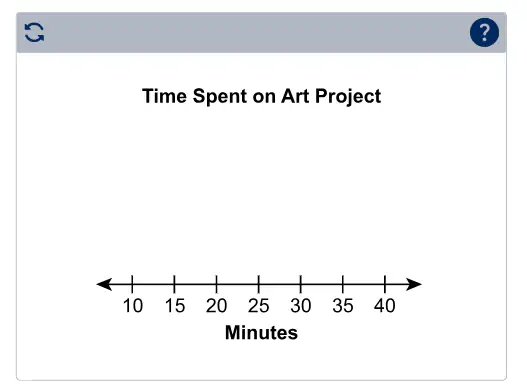
How do you add dots above the numbers on the chart?
Let both partners try!
40
Multiple Choice
Go to Question 14
How do you add dots above the numbers on the chart?
Click the title of the graph
Click the arrows on the end of the number line
Click above the number you want a dot above
Click the ? mark button
41
How do you answer this question?
Let both partners try!
42
Open Ended
Go to Question 15
How do you answer this question? Take a picture of the completed answers on your partner's screen.
43
How do you go back to answer questions that are flagged or that you still need to answer?
44
Multiple Choice
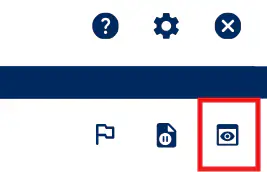
Click the Review Test button.
What would you click to go back and answer a question you skipped or flagged?
End Test
Return to Questions
45
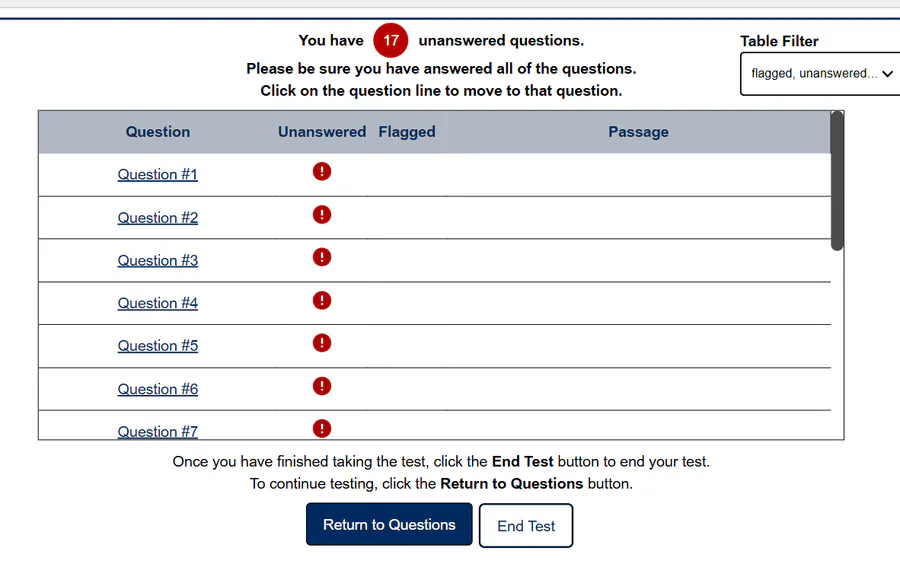
46
Multiple Choice

Why should this student NOT click Submit?
Click the picture to make it bigger if you can't see it!
They are worried about eating lunch
It says there are unanswered questions
They answered all the questions
47
Stay on this screen until your teacher gives you more instructions.
You can look at the other questions on your partner's screen while you wait!
Welcome to the DRC Scavenger Hunt!
We need to get into PARTNER pairs.
One student will go to the OTT. One student will stay on this wayground.
Then you will need to answer the questions that follow.
Good luck!
Show answer
Auto Play
Slide 1 / 47
SLIDE
Popular Resources on Wayground

10 questions
Safety Day 2026 – Student Review

Quiz
•
9th Grade
21 questions
Continents and Oceans
Quiz
•
6th Grade
20 questions
Parts of Speech
Quiz
•
5th Grade
16 questions
Subject & Predicate
Quiz
•
5th Grade
25 questions
Multiplication Facts
Quiz
•
5th Grade
12 questions
Map Skills
Quiz
•
3rd Grade
22 questions
Continents and Oceans
Quiz
•
5th Grade
15 questions
Rounding Decimals
Quiz
•
5th Grade