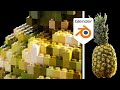
Lego Brick Modeling Techniques

Interactive Video
•
Computers, Design, Instructional Technology
•
9th - 12th Grade
•
Practice Problem
•
Hard

Jackson Turner
FREE Resource
Read more
10 questions
Show all answers
1.
MULTIPLE CHOICE QUESTION
30 sec • 1 pt
What is the main advantage of using Blender 3.4 for creating Lego scenes?
It includes a built-in Lego brick library.
It supports higher resolution textures.
It provides access to more instance attributes.
It allows for real-time rendering.
2.
MULTIPLE CHOICE QUESTION
30 sec • 1 pt
What is the first step in converting a model into Lego bricks in Blender?
Setting up a camera and lights.
Applying a texture to the model.
Importing a model from Sketchfab.
Creating a new material.
3.
MULTIPLE CHOICE QUESTION
30 sec • 1 pt
Which node is used to distribute points in the volume of a model?
Mesh to Volume Node
Distribute Points on Faces Node
Instance on Points Node
Distribute Points in Volume Node
4.
MULTIPLE CHOICE QUESTION
30 sec • 1 pt
What is the purpose of scaling the cubes in the geometry nodes setup?
To match the size of the original model.
To fit the cubes perfectly within the model's volume.
To increase the resolution of the model.
To reduce the number of cubes used.
5.
MULTIPLE CHOICE QUESTION
30 sec • 1 pt
What is the secret formula related to in the Lego brick modeling process?
The color of the Lego bricks.
The size of the Lego bricks.
The texture of the Lego bricks.
The material of the Lego bricks.
6.
MULTIPLE CHOICE QUESTION
30 sec • 1 pt
How can you ensure that the colors are transferred correctly to the Lego bricks?
By applying a new texture.
By using a set material node.
By adjusting the lighting settings.
By using the default UV map.
7.
MULTIPLE CHOICE QUESTION
30 sec • 1 pt
Which node is used to get UV map information from the old mesh?
Vector Math Node
Sample Index Node
Transfer Attribute Node
Named Attribute Node
Access all questions and much more by creating a free account
Create resources
Host any resource
Get auto-graded reports

Continue with Google

Continue with Email

Continue with Classlink

Continue with Clever
or continue with

Microsoft
%20(1).png)
Apple

Others
Already have an account?
Popular Resources on Wayground

15 questions
Fractions on a Number Line

Quiz
•
3rd Grade
20 questions
Equivalent Fractions
Quiz
•
3rd Grade
25 questions
Multiplication Facts
Quiz
•
5th Grade
22 questions
fractions
Quiz
•
3rd Grade
20 questions
Main Idea and Details
Quiz
•
5th Grade
20 questions
Context Clues
Quiz
•
6th Grade
15 questions
Equivalent Fractions
Quiz
•
4th Grade
20 questions
Figurative Language Review
Quiz
•
6th Grade
