
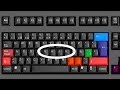
Keyboard Shortcuts and Their Functions

Interactive Video
•
Computers
•
5th - 10th Grade
•
Practice Problem
•
Hard

Lucas Foster
FREE Resource
Read more
10 questions
Show all answers
1.
MULTIPLE CHOICE QUESTION
30 sec • 1 pt
What is the main benefit of using keyboard shortcuts as mentioned in the introduction?
They make the computer look more stylish.
They help in saving time and increasing efficiency.
They are fun to use.
They improve the computer's performance.
2.
MULTIPLE CHOICE QUESTION
30 sec • 1 pt
Which key combination is used to snap a window to the left or right of the screen?
Windows + Arrow Key
Windows + L
Control + Shift
Alt + Tab
3.
MULTIPLE CHOICE QUESTION
30 sec • 1 pt
What does the Alt + Tab shortcut allow you to do?
Switch between open programs.
Open a new tab in the browser.
Close the current window.
Lock the computer screen.
4.
MULTIPLE CHOICE QUESTION
30 sec • 1 pt
What is the difference between Windows + D and Windows + M?
Windows + D closes all programs, while Windows + M minimizes them.
Windows + D opens the desktop, while Windows + M opens the start menu.
Windows + D minimizes all windows and allows you to restore them, while Windows + M does not.
Windows + D locks the screen, while Windows + M logs you out.
5.
MULTIPLE CHOICE QUESTION
30 sec • 1 pt
Which shortcut is used to close any open program or window?
Control + W
Alt + F4
Windows + C
Shift + Esc
6.
MULTIPLE CHOICE QUESTION
30 sec • 1 pt
How can you quickly find a word or phrase on a webpage?
Alt + Enter
Shift + F
Control + F
Control + S
7.
MULTIPLE CHOICE QUESTION
30 sec • 1 pt
What does pressing Control + Plus do?
It refreshes the page.
It zooms in on the screen.
It opens a new tab.
It zooms out the screen.
Access all questions and much more by creating a free account
Create resources
Host any resource
Get auto-graded reports

Continue with Google

Continue with Email

Continue with Classlink

Continue with Clever
or continue with

Microsoft
%20(1).png)
Apple

Others
Already have an account?


