
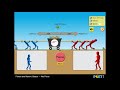
Exploring Forces in Tug of War

Interactive Video
•
Science
•
6th - 10th Grade
•
Practice Problem
•
Hard
+2
Standards-aligned

Ethan Morris
FREE Resource
Standards-aligned
Read more
7 questions
Show all answers
1.
MULTIPLE CHOICE QUESTION
30 sec • 1 pt
What are the main scientific principles covered in the game?
Einstein's theory of relativity
Principles of quantum mechanics
Laws of thermodynamics
Newton's first and second laws
Tags
NGSS.MS-PS2-1
NGSS.MS-PS2-2
2.
MULTIPLE CHOICE QUESTION
30 sec • 1 pt
How do you select the characters for the tug of war?
By dragging and dropping them with the mouse
By using keyboard shortcuts
By typing their names
By clicking on their images
3.
MULTIPLE CHOICE QUESTION
30 sec • 1 pt
What should you do after placing the characters in the tug of war?
Press the spacebar
Click on the 'Play' button
Click on the 'Go' button
Click on the 'Start' button
4.
MULTIPLE CHOICE QUESTION
30 sec • 1 pt
What can you observe by clicking on the sum of the forces values and speed buttons?
The readings of forces and speed
The color of the teams
The number of characters
The background music
Tags
NGSS.MS-PS3-1
5.
MULTIPLE CHOICE QUESTION
30 sec • 1 pt
What is the purpose of clicking buttons in the game?
To save the game progress
To pause the game
To change the background color
To activate the simulation or read information
Tags
NGSS.MS-LS1-8
6.
MULTIPLE CHOICE QUESTION
30 sec • 1 pt
What happens as you progress further in the game?
The game becomes easier
You face different levels of difficulty
You get fewer characters to choose from
The game remains the same
7.
MULTIPLE CHOICE QUESTION
30 sec • 1 pt
What challenge does the game pose to the player?
To complete the game using the right science skills
To collect the most points
To finish the game in the shortest time
To defeat all opponents
Tags
NGSS.MS-ETS1-2
Access all questions and much more by creating a free account
Create resources
Host any resource
Get auto-graded reports

Continue with Google

Continue with Email

Continue with Classlink

Continue with Clever
or continue with

Microsoft
%20(1).png)
Apple

Others
Already have an account?


