
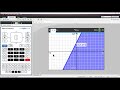
Graphing Systems of Inequalities on the TI Nspire

Interactive Video
•
Mathematics
•
6th - 10th Grade
•
Practice Problem
•
Hard
Standards-aligned

Mia Campbell
FREE Resource
Standards-aligned
Read more
8 questions
Show all answers
1.
MULTIPLE CHOICE QUESTION
30 sec • 1 pt
What is the first step to start graphing inequalities on the TI-Nspire CX?
Press the Tab key
Press the Delete key
Choose number 1 new document
Choose number 2 add graphs
Tags
CCSS.HSA.REI.D.12
2.
MULTIPLE CHOICE QUESTION
30 sec • 1 pt
Which key should you press to delete the equal sign when entering an inequality?
Tab key
Enter key
Delete key
Control key
Tags
CCSS.HSA.REI.D.12
3.
MULTIPLE CHOICE QUESTION
30 sec • 1 pt
What inequality is used as an example in the video?
y ≤ 2x + 3
y ≥ 2x + 3
y < 2x + 3
y > 2x + 3
Tags
CCSS.HSA.REI.D.12
4.
MULTIPLE CHOICE QUESTION
30 sec • 1 pt
How can you test if a point lies within the solution set of an inequality?
Press the Tab key
Press the letter P and drop a point
Press Control and equals
Press the Delete key
5.
MULTIPLE CHOICE QUESTION
30 sec • 1 pt
What coordinates are used to test if a point lies within the solution set in the video?
(1, -2)
(-2, 1)
(-1, 2)
(2, -1)
6.
MULTIPLE CHOICE QUESTION
30 sec • 1 pt
Which key combination is used to get the inequality options when graphing a system of inequalities?
Control and equals
Control and tab
Control and delete
Control and enter
Tags
CCSS.HSA.REI.D.12
7.
MULTIPLE CHOICE QUESTION
30 sec • 1 pt
What is the second inequality entered to create a system of inequalities?
y < -x - 4
y ≥ -x - 4
y ≤ -x - 4
y > -x - 4
Tags
CCSS.HSA.REI.D.12
Access all questions and much more by creating a free account
Create resources
Host any resource
Get auto-graded reports

Continue with Google

Continue with Email

Continue with Microsoft
or continue with

%20(1).png)
Apple

Others
Already have an account?


