
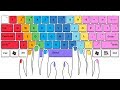
Essential Keyboard Shortcuts for Enhanced Productivity

Interactive Video
•
Computers
•
6th - 10th Grade
•
Practice Problem
•
Medium

Ethan Morris
Used 106+ times
FREE Resource
Read more
10 questions
Show all answers
1.
MULTIPLE CHOICE QUESTION
30 sec • 1 pt
What is the keyboard shortcut to redo an action on Windows?
Ctrl + C
Ctrl + X
Ctrl + Y
Ctrl + Z
2.
MULTIPLE CHOICE QUESTION
30 sec • 1 pt
Which keyboard shortcut creates a new folder on a Mac?
Shift + N
Command + N
Ctrl + Shift + N
Shift + Command + N
3.
MULTIPLE CHOICE QUESTION
30 sec • 1 pt
How can you permanently delete a file on Windows?
Highlight and press Ctrl + Delete
Highlight and press Shift + Delete
Drag to Recycle Bin
Highlight and press Delete
4.
MULTIPLE CHOICE QUESTION
30 sec • 1 pt
What is the shortcut to open the emoji keyboard on Windows 10?
Windows key + .
Ctrl + ;
Ctrl + .
Windows key + ;
5.
MULTIPLE CHOICE QUESTION
30 sec • 1 pt
Which shortcut minimizes all windows on a Mac?
Command + M
Ctrl + Command + M
Option + Command + M
Shift + Command + M
6.
MULTIPLE CHOICE QUESTION
30 sec • 1 pt
How do you lock your Windows computer using a keyboard shortcut?
Shift + L
Alt + L
Ctrl + L
Windows key + L
7.
MULTIPLE CHOICE QUESTION
30 sec • 1 pt
What is the shortcut to open a new virtual desktop on Windows 10?
Windows key + D
Windows key + Ctrl + D
Windows key + Shift + D
Windows key + Alt + D
Access all questions and much more by creating a free account
Create resources
Host any resource
Get auto-graded reports

Continue with Google

Continue with Email

Continue with Classlink

Continue with Clever
or continue with

Microsoft
%20(1).png)
Apple

Others
Already have an account?


