
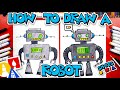
Drawing a Robot Tutorial Quiz

Interactive Video
•
Arts, Fun, Design
•
1st - 5th Grade
•
Practice Problem
•
Easy

Mia Campbell
Used 2+ times
FREE Resource
Read more
10 questions
Show all answers
1.
MULTIPLE CHOICE QUESTION
30 sec • 1 pt
What supplies are suggested for drawing the robot?
Markers, paper, and something to color with
Crayons, paper, and glue
Paint, canvas, and brushes
Chalk, blackboard, and eraser
2.
MULTIPLE CHOICE QUESTION
30 sec • 1 pt
What shape is used to draw the head of the robot?
Circle
Triangle
Rectangle
Oval
3.
MULTIPLE CHOICE QUESTION
30 sec • 1 pt
How is the body of the robot drawn?
Using a star shape
Using a triangle
Using a big L shape and an upside-down L shape
Using a circle
4.
MULTIPLE CHOICE QUESTION
30 sec • 1 pt
What shapes are used to draw the robot's legs?
Hexagons
Triangles
Circles
Squares
5.
MULTIPLE CHOICE QUESTION
30 sec • 1 pt
How are the robot's arms drawn?
Using stars and hexagons
Using squares and ovals
Using circles and triangles
Using long rectangle shapes and curves
6.
MULTIPLE CHOICE QUESTION
30 sec • 1 pt
What additional details can be added to the robot's hands?
Stars
Smaller shapes inside the hands
Numbers
Flowers
7.
MULTIPLE CHOICE QUESTION
30 sec • 1 pt
What shapes are used to draw the robot's eyes?
Circles
Hexagons
Triangles
Squares
Access all questions and much more by creating a free account
Create resources
Host any resource
Get auto-graded reports

Continue with Google

Continue with Email

Continue with Microsoft
or continue with

%20(1).png)
Apple

Others
Already have an account?

