
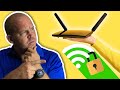
Securing Your Home Wi-Fi Network

Interactive Video
•
Computers, Life Skills
•
6th - 10th Grade
•
Practice Problem
•
Easy

Sophia Harris
Used 3+ times
FREE Resource
Read more
10 questions
Show all answers
1.
MULTIPLE CHOICE QUESTION
30 sec • 1 pt
What is the main purpose of securing your home Wi-Fi network?
To improve signal strength
To prevent unauthorized access
To reduce electricity consumption
To increase internet speed
2.
MULTIPLE CHOICE QUESTION
30 sec • 1 pt
Why should you change the default SSID of your router?
To increase the range of the Wi-Fi
To make it easier to remember
To avoid known vulnerabilities
To reduce interference with other networks
3.
MULTIPLE CHOICE QUESTION
30 sec • 1 pt
What should you avoid including in your new SSID?
Special characters
Random numbers
Your name
A combination of letters and numbers
4.
MULTIPLE CHOICE QUESTION
30 sec • 1 pt
What is a recommended tool for creating a strong Wi-Fi password?
A spreadsheet
A password generator
A text editor
A calculator
5.
MULTIPLE CHOICE QUESTION
30 sec • 1 pt
Why should you disable remote access to your router?
To prevent unauthorized remote access
To save bandwidth
To reduce power consumption
To increase download speed
6.
MULTIPLE CHOICE QUESTION
30 sec • 1 pt
What is the benefit of setting up a separate guest network?
To increase the number of connected devices
To provide faster internet to guests
To keep your main network more secure
To reduce the range of the Wi-Fi
7.
MULTIPLE CHOICE QUESTION
30 sec • 1 pt
What is one way to set up a guest network?
Using a separate router
Using a Wi-Fi extender
Using a VPN
Using a firewall
Access all questions and much more by creating a free account
Create resources
Host any resource
Get auto-graded reports

Continue with Google

Continue with Email

Continue with Classlink

Continue with Clever
or continue with

Microsoft
%20(1).png)
Apple

Others
Already have an account?


