
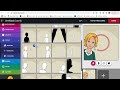
Using Pixton for Comic Creation

Interactive Video
•
Computers, Education, Instructional Technology
•
4th - 8th Grade
•
Practice Problem
•
Hard

Aiden Montgomery
FREE Resource
Read more
10 questions
Show all answers
1.
MULTIPLE CHOICE QUESTION
30 sec • 1 pt
What is the primary purpose of Pixton as introduced by Miss Maddie?
To make comic strips
To design websites
To create video tutorials
To edit photos
2.
MULTIPLE CHOICE QUESTION
30 sec • 1 pt
Which credentials are required to log into Pixton?
Personal email credentials
Social media credentials
School credentials
Guest credentials
3.
MULTIPLE CHOICE QUESTION
30 sec • 1 pt
What theme is chosen for the comic in the tutorial?
Animal conservation
Climate change
World hunger
Space exploration
4.
MULTIPLE CHOICE QUESTION
30 sec • 1 pt
Which setting is selected for the comic's background?
A cityscape
A classroom
A park
A beach
5.
MULTIPLE CHOICE QUESTION
30 sec • 1 pt
What can you customize about a character in Pixton?
Their age
Their height
Their skin tone and hair color
Their voice
6.
MULTIPLE CHOICE QUESTION
30 sec • 1 pt
What type of props can be added to a comic in Pixton?
Only animated props
Only 3D props
Handheld and regular props
Only digital props
7.
MULTIPLE CHOICE QUESTION
30 sec • 1 pt
What types of speech bubbles can be added in Pixton?
Only thought bubbles
Only shouting bubbles
Speech, thought, shouting, and whisper bubbles
Only speech bubbles
Access all questions and much more by creating a free account
Create resources
Host any resource
Get auto-graded reports

Continue with Google

Continue with Email

Continue with Microsoft
or continue with

%20(1).png)
Apple

Others
By signing up, you agree to our Terms of Service & Privacy Policy
Already have an account?

