
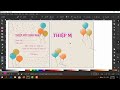
Designing a Birthday Invitation and Logo

Interactive Video
•
Design, Computers, Arts
•
5th - 8th Grade
•
Practice Problem
•
Hard

Emma Peterson
FREE Resource
Read more
10 questions
Show all answers
1.
MULTIPLE CHOICE QUESTION
30 sec • 1 pt
What is the first step in designing the birthday invitation card?
Creating a pink rectangle background
Choosing a font style
Drawing decorative elements
Adding text to the card
2.
MULTIPLE CHOICE QUESTION
30 sec • 1 pt
Which tool is used to match the background color of the invitation card?
Rectangle tool
Text tool
Color picker tool
Eraser tool
3.
MULTIPLE CHOICE QUESTION
30 sec • 1 pt
What is the purpose of using the shift key while selecting colors?
To apply the color to the stroke
To select multiple colors at once
To reset the color selection
To delete the selected color
4.
MULTIPLE CHOICE QUESTION
30 sec • 1 pt
How can you change the font size of the text on the invitation?
By using the eraser tool
By using the rectangle tool
By selecting the text tool and adjusting the size
By changing the background color
5.
MULTIPLE CHOICE QUESTION
30 sec • 1 pt
What elements are created in the decorative section of the tutorial?
Logos and icons
Text and lines
Stars and flowers
Rectangles and circles
6.
MULTIPLE CHOICE QUESTION
30 sec • 1 pt
What is the function of the Ctrl D command in the tutorial?
To delete an object
To duplicate an object
To draw a new object
To change the object's color
7.
MULTIPLE CHOICE QUESTION
30 sec • 1 pt
How do you group multiple objects together?
By selecting them and pressing Ctrl G
By using the eraser tool
By changing their color
By selecting them and pressing Ctrl D
Access all questions and much more by creating a free account
Create resources
Host any resource
Get auto-graded reports

Continue with Google

Continue with Email

Continue with Microsoft
or continue with

%20(1).png)
Apple

Others
By signing up, you agree to our Terms of Service & Privacy Policy
Already have an account?

