
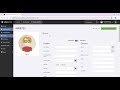
Understanding Gym Management System Functions

Interactive Video
•
Computers, Business, Professional Development
•
9th - 12th Grade
•
Practice Problem
•
Hard

Aiden Montgomery
FREE Resource
Read more
10 questions
Show all answers
1.
MULTIPLE CHOICE QUESTION
30 sec • 1 pt
What is the first step to access the Gym Master dashboard?
Click on 'Visitor Log'
Enter your email and password
Open the 'Reports' section
Select 'Add Member'
2.
MULTIPLE CHOICE QUESTION
30 sec • 1 pt
What is the function of the notification bell on the dashboard?
To add new members
To view notifications and messages
To log out of the system
To access the visitor log
3.
MULTIPLE CHOICE QUESTION
30 sec • 1 pt
Which feature allows you to find a member by their phone number?
Find Member
Task Management
Point of Sale
Visitor Log
4.
MULTIPLE CHOICE QUESTION
30 sec • 1 pt
What should you do before adding a new member to the system?
Check the visitor log
Run a report
Update the stock
Search for the member
5.
MULTIPLE CHOICE QUESTION
30 sec • 1 pt
Where can you view who has been granted access to the gym?
Point of Sale
Stock Overview
Visitor Log
Task Management
6.
MULTIPLE CHOICE QUESTION
30 sec • 1 pt
What is the purpose of the Point of Sale section?
To generate reports
To manage visitor logs
To handle financial transactions
To update member profiles
7.
MULTIPLE CHOICE QUESTION
30 sec • 1 pt
How can you associate a trainer with a member?
Through the visitor log
In the member's profile
In the stock overview
Using the task management system
Access all questions and much more by creating a free account
Create resources
Host any resource
Get auto-graded reports

Continue with Google

Continue with Email

Continue with Classlink

Continue with Clever
or continue with

Microsoft
%20(1).png)
Apple

Others
Already have an account?


