
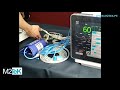
Live Scope 5 Monitor Functions

Interactive Video
•
Science, Life Skills, Health
•
9th - 12th Grade
•
Practice Problem
•
Hard

Emma Peterson
FREE Resource
Read more
10 questions
Show all answers
1.
MULTIPLE CHOICE QUESTION
30 sec • 1 pt
What is the first step in using the Live Scope 5 monitor?
Press the power button
Insert a memory card
Calibrate the sensors
Connect to Wi-Fi
2.
MULTIPLE CHOICE QUESTION
30 sec • 1 pt
How do you interact with most functions on the Live Scope 5 monitor?
Using a remote control
Through a touchscreen interface
With a keyboard
Via voice commands
3.
MULTIPLE CHOICE QUESTION
30 sec • 1 pt
What information must be entered before starting with a patient on the monitor?
Patient's insurance details
Patient's medical history
Patient's dietary preferences
Patient's personal data
4.
MULTIPLE CHOICE QUESTION
30 sec • 1 pt
Which parameter can be configured to have both upper and lower limits?
Weight
Height
Heart rate
Blood type
5.
MULTIPLE CHOICE QUESTION
30 sec • 1 pt
What can be adjusted to change the size of the heart rate wave on the monitor?
Wave color
Wave sensitivity
Wave frequency
Wave speed
6.
MULTIPLE CHOICE QUESTION
30 sec • 1 pt
What is the primary alarm configured for in the monitor?
Heart rate
Oxygen level
Temperature
Blood pressure
7.
MULTIPLE CHOICE QUESTION
30 sec • 1 pt
Which feature allows for the analysis of arrhythmias on the monitor?
Temperature monitoring
Trend analysis
Arrhythmia analysis
Pulse oximetry
Access all questions and much more by creating a free account
Create resources
Host any resource
Get auto-graded reports

Continue with Google

Continue with Email

Continue with Microsoft
or continue with

%20(1).png)
Apple

Others
Already have an account?

