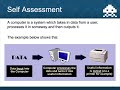
Understanding Computer Systems

Interactive Video
•
Computers, Education
•
6th - 8th Grade
•
Practice Problem
•
Easy

Liam Anderson
Used 3+ times
FREE Resource
Read more
10 questions
Show all answers
1.
MULTIPLE CHOICE QUESTION
30 sec • 1 pt
What is the primary focus of the first lesson in the computer systems unit?
Exploring computer systems and their functions
Understanding software development
Learning about network security
Studying the history of computers
2.
MULTIPLE CHOICE QUESTION
30 sec • 1 pt
Which of the following is NOT a key function of a computer system?
Processing data
Outputting information
Storing data permanently
Inputting data
3.
MULTIPLE CHOICE QUESTION
30 sec • 1 pt
Which device is an example of an input device?
Printer
Speaker
Monitor
Mouse
4.
MULTIPLE CHOICE QUESTION
30 sec • 1 pt
What is the role of a scanner in a computer system?
To display images
To input documents
To output sound
To process data
5.
MULTIPLE CHOICE QUESTION
30 sec • 1 pt
Which of the following is a type of computer system?
Smartphone
Television
Refrigerator
Washing machine
6.
MULTIPLE CHOICE QUESTION
30 sec • 1 pt
What is a mind map used for in the context of this lesson?
To list programming languages
To organize types of computer systems
To plan a software project
To design a network layout
7.
MULTIPLE CHOICE QUESTION
30 sec • 1 pt
Which device can function as both an input and output device?
Mouse
Touchscreen
Printer
Keyboard
Access all questions and much more by creating a free account
Create resources
Host any resource
Get auto-graded reports

Continue with Google

Continue with Email

Continue with Classlink

Continue with Clever
or continue with

Microsoft
%20(1).png)
Apple

Others
Already have an account?
Similar Resources on Wayground
Popular Resources on Wayground

15 questions
Fractions on a Number Line

Quiz
•
3rd Grade
20 questions
Equivalent Fractions
Quiz
•
3rd Grade
25 questions
Multiplication Facts
Quiz
•
5th Grade
54 questions
Analyzing Line Graphs & Tables
Quiz
•
4th Grade
22 questions
fractions
Quiz
•
3rd Grade
20 questions
Main Idea and Details
Quiz
•
5th Grade
20 questions
Context Clues
Quiz
•
6th Grade
15 questions
Equivalent Fractions
Quiz
•
4th Grade