
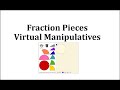
Manipulating Fraction Pieces in Drop Zones

Interactive Video
•
Mathematics, Instructional Technology
•
3rd - 6th Grade
•
Practice Problem
•
Hard

Aiden Montgomery
FREE Resource
Read more
9 questions
Show all answers
1.
MULTIPLE CHOICE QUESTION
30 sec • 1 pt
What is the first step in using the fraction pieces virtual manipulative?
Rotate the fraction pieces
Clear the drop zones
Add fraction pieces
Select the number of drop zones
2.
MULTIPLE CHOICE QUESTION
30 sec • 1 pt
How can you fill a drop zone with fraction pieces?
By rotating the fraction piece
By clicking the trash can
By clicking and dragging a fraction piece
By selecting the number of drop zones
3.
MULTIPLE CHOICE QUESTION
30 sec • 1 pt
What action allows you to rotate a fraction piece in the drop zone?
Clicking on the handle
Selecting a new drop zone
Dragging to the trash
Clicking the blue dot
4.
MULTIPLE CHOICE QUESTION
30 sec • 1 pt
How can you remove a fraction piece from a drop zone?
Click and drag it to the trash
Rotate the fraction piece
Click the blue dot
Add a transparent piece
5.
MULTIPLE CHOICE QUESTION
30 sec • 1 pt
What happens when you click the trash can icon?
All fraction pieces are rotated
All fraction pieces are removed from the drop zone
Transparent pieces are added
A new drop zone is added
6.
MULTIPLE CHOICE QUESTION
30 sec • 1 pt
How can you add transparent fraction pieces over existing ones?
By selecting a new drop zone
By dragging to the trash
By clicking add transparent pieces
By clicking the blue dot
7.
MULTIPLE CHOICE QUESTION
30 sec • 1 pt
What is the effect of adding transparent fraction pieces?
They clear the drop zone
They allow you to see the original pieces underneath
They hide the original pieces
They replace the original pieces
Access all questions and much more by creating a free account
Create resources
Host any resource
Get auto-graded reports

Continue with Google

Continue with Email

Continue with Classlink

Continue with Clever
or continue with

Microsoft
%20(1).png)
Apple

Others
Already have an account?

