
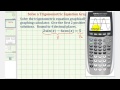
Graphical Solution of Trigonometric Equations

Interactive Video
•
Mathematics
•
9th - 12th Grade
•
Practice Problem
•
Hard
+2
Standards-aligned

Lucas Foster
FREE Resource
Standards-aligned
Read more
10 questions
Show all answers
1.
MULTIPLE CHOICE QUESTION
30 sec • 1 pt
What is the first step in solving a trigonometric equation graphically using a calculator?
Adjust the window settings
Find the intersection points
Enter the equation in degree mode
Set the calculator to radian mode
Tags
CCSS.HSF.TF.B.7
2.
MULTIPLE CHOICE QUESTION
30 sec • 1 pt
Which function should be entered in Y1 for the given trigonometric equation?
x^2 + 5
cos x
2 sin x - 6 sin x
5
Tags
CCSS.HSF-IF.C.7A
3.
MULTIPLE CHOICE QUESTION
30 sec • 1 pt
What should be the range for X Min and X Max in the window settings?
0 to 14
-7 to 7
-5 to 5
-10 to 10
Tags
CCSS.HSF-IF.C.7E
4.
MULTIPLE CHOICE QUESTION
30 sec • 1 pt
What is the purpose of adjusting the Y Min and Y Max in the graphing calculator?
To adjust the graph's thickness
To change the graph's color
To ensure the graph fits within the screen
To zoom in on the graph
Tags
CCSS.8.EE.C.8B
5.
MULTIPLE CHOICE QUESTION
30 sec • 1 pt
What is the next step after graphing the equations to find the solutions?
Adjust the window settings again
Change the calculator to degree mode
Identify the points of intersection
Re-enter the equations
Tags
CCSS.8.EE.C.8B
CCSS.HSA.REI.C.6
6.
MULTIPLE CHOICE QUESTION
30 sec • 1 pt
Which calculator function is used to find the intersection points?
Graph
Calculate
Zoom
Trace
Tags
CCSS.HSF.TF.B.7
7.
MULTIPLE CHOICE QUESTION
30 sec • 1 pt
What is the approximate value of the first positive radian solution?
4.71 radians
2.68 radians
3.47 radians
1.57 radians
Tags
CCSS.8.EE.C.8B
Access all questions and much more by creating a free account
Create resources
Host any resource
Get auto-graded reports

Continue with Google

Continue with Email

Continue with Classlink

Continue with Clever
or continue with

Microsoft
%20(1).png)
Apple

Others
Already have an account?


