
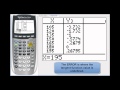
Graphing Trigonometric Functions on TI-84

Interactive Video
•
Mathematics
•
9th - 12th Grade
•
Practice Problem
•
Hard
+1
Standards-aligned

Sophia Harris
FREE Resource
Standards-aligned
Read more
10 questions
Show all answers
1.
MULTIPLE CHOICE QUESTION
30 sec • 1 pt
What is the primary goal of the lesson on graphing trigonometric functions using the TI-84 calculator?
To understand the history of trigonometry
To graph y = cosine x and generate tables in degree and radian modes
To explore advanced calculus concepts
To learn how to solve trigonometric equations
Tags
CCSS.HSF-IF.C.7E
2.
MULTIPLE CHOICE QUESTION
30 sec • 1 pt
When setting up the TI-84 calculator for graphing in degree mode, what should the X scale be set to?
45 degrees
15 degrees
30 degrees
10 degrees
Tags
CCSS.HSF-IF.C.7E
3.
MULTIPLE CHOICE QUESTION
30 sec • 1 pt
What is the range of Y values set for graphing cosine and sine functions in degree mode?
-3 to +3
-2 to +2
-1 to +1
0 to +1
Tags
CCSS.HSF-IF.C.7B
4.
MULTIPLE CHOICE QUESTION
30 sec • 1 pt
How do you turn off a function on the TI-84 calculator when graphing multiple functions?
Unhighlight the equal sign
Turn off the calculator
Delete the function
Press the clear button
Tags
CCSS.HSF-IF.C.7E
5.
MULTIPLE CHOICE QUESTION
30 sec • 1 pt
What do the Y1 and Y2 columns represent in the table when graphing sine and cosine functions?
The amplitude of the functions
The angles in radians
The X and Y coordinates on the unit circle
The period of the functions
6.
MULTIPLE CHOICE QUESTION
30 sec • 1 pt
What is the range of the tangent function when graphed on the TI-84 calculator?
0 to 180 degrees
-2 to +2
-1 to +1
Negative infinity to positive infinity
7.
MULTIPLE CHOICE QUESTION
30 sec • 1 pt
What adjustment is suggested for better visualization of the tangent function graph?
Increase the graphing speed
Switch to radian mode
Change the Y min and Y max
Change the X scale
Tags
CCSS.HSF.TF.A.4
Access all questions and much more by creating a free account
Create resources
Host any resource
Get auto-graded reports

Continue with Google

Continue with Email

Continue with Classlink

Continue with Clever
or continue with

Microsoft
%20(1).png)
Apple

Others
Already have an account?


