
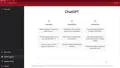
ChatGPT for Teachers in Education - Getting Started: Create a Course and Lesson Plans

Interactive Video
•
Information Technology (IT), Architecture
•
University
•
Practice Problem
•
Hard

Wayground Content
FREE Resource
Read more
5 questions
Show all answers
1.
MULTIPLE CHOICE QUESTION
30 sec • 1 pt
What are the three main sections of the ChatGPT homepage?
Examples, Capabilities, and Limitations
Features, Strengths, and Weaknesses
Introduction, Usage, and Feedback
Overview, Details, and Summary
2.
MULTIPLE CHOICE QUESTION
30 sec • 1 pt
What is a notable limitation of ChatGPT mentioned in the video?
It cannot generate text in multiple languages.
It has limited knowledge of world events after 2021.
It cannot perform mathematical calculations.
It does not support voice input.
3.
MULTIPLE CHOICE QUESTION
30 sec • 1 pt
What feature allows users to engage in discussions about OpenAI products?
OpenAI Chatroom
OpenAI Discord
OpenAI Community
OpenAI Forum
4.
MULTIPLE CHOICE QUESTION
30 sec • 1 pt
What is the primary focus of the third section of the video?
Understanding the technical aspects of ChatGPT
Exploring the limitations of ChatGPT
Creating digital literacy courses using ChatGPT
Learning about the history of ChatGPT
5.
MULTIPLE CHOICE QUESTION
30 sec • 1 pt
How does ChatGPT assist in creating lesson plans?
By providing a list of textbooks
By generating lesson plans based on user input
By connecting teachers with experts
By offering video tutorials
Access all questions and much more by creating a free account
Create resources
Host any resource
Get auto-graded reports

Continue with Google

Continue with Email

Continue with Classlink

Continue with Clever
or continue with

Microsoft
%20(1).png)
Apple

Others
Already have an account?


