
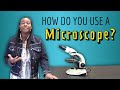
How to Use a Microscope

Interactive Video
•
Biology, Science, Chemistry
•
6th - 8th Grade
•
Practice Problem
•
Hard

Patricia Brown
FREE Resource
Read more
10 questions
Show all answers
1.
MULTIPLE CHOICE QUESTION
30 sec • 1 pt
What is the primary focus of the video presented by Brainy Dawson?
How to defend against mosquitoes
Fungi infections in insects
Insect behavior research
Using a light microscope
2.
MULTIPLE CHOICE QUESTION
30 sec • 1 pt
What is the correct way to carry a light microscope?
With both hands on the stage
With two hands, one under the base and one on the arm
With one hand on the arm
With one hand on the base
3.
MULTIPLE CHOICE QUESTION
30 sec • 1 pt
What should you do before you can see anything through the microscope?
Turn on the light
Move the stage
Adjust the oculars
Change the objective lens
4.
MULTIPLE CHOICE QUESTION
30 sec • 1 pt
Which focus knob should you use first when nothing is in focus?
Objective housing knob
Fine focus knob
Coarse focus knob
Stage control knob
5.
MULTIPLE CHOICE QUESTION
30 sec • 1 pt
How can you adjust the microscope to match your eyes if it has two oculars?
Use the coarse focus knob
Adjust the distance between the oculars
Change the objective lens
Rotate the nose piece
6.
MULTIPLE CHOICE QUESTION
30 sec • 1 pt
What should you do to increase magnification correctly?
Increase one objective at a time
Skip to the highest objective
Use the coarse focus knob
Adjust the light levels
7.
MULTIPLE CHOICE QUESTION
30 sec • 1 pt
What is the actual magnification if using a 40x objective lens?
40x
400x
10x
100x
Access all questions and much more by creating a free account
Create resources
Host any resource
Get auto-graded reports

Continue with Google

Continue with Email

Continue with Microsoft
or continue with

%20(1).png)
Apple

Others
By signing up, you agree to our Terms of Service & Privacy Policy
Already have an account?


