
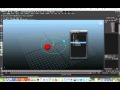
Creating Orbit Animations in Animation Software

Interactive Video
•
Computers, Design, Physics
•
9th - 10th Grade
•
Practice Problem
•
Hard

Patricia Brown
FREE Resource
Read more
10 questions
Show all answers
1.
MULTIPLE CHOICE QUESTION
30 sec • 1 pt
What is the first step in creating an orbit animation?
Looping the motion path
Setting up the Earth's motion path
Configuring animation options
Creating a motion path for the moon
2.
MULTIPLE CHOICE QUESTION
30 sec • 1 pt
What is the initial object used to represent the moon?
A yellow star
A blue ball
A green cube
A red ball
3.
MULTIPLE CHOICE QUESTION
30 sec • 1 pt
What should you ensure when selecting animation options?
That the start time is set to 10
That the end time is set to 50
That you are in the animations options
That the motion path is not attached
4.
MULTIPLE CHOICE QUESTION
30 sec • 1 pt
What is the end time set for the moon's motion path?
50
75
25
100
5.
MULTIPLE CHOICE QUESTION
30 sec • 1 pt
How do you make the motion path loop indefinitely?
By setting the start time to 0
By attaching another motion path
By using curves pre and post infinity cycle
By increasing the frame count
6.
MULTIPLE CHOICE QUESTION
30 sec • 1 pt
What tool is used to select the motion path for editing?
Channel Box Editor
Outliner
Graph Editor
Timeline
7.
MULTIPLE CHOICE QUESTION
30 sec • 1 pt
What is the purpose of grouping elements in the animation?
To change the color of the moon
To add another motion path
To ensure proper hierarchy and organization
To increase the frame rate
Access all questions and much more by creating a free account
Create resources
Host any resource
Get auto-graded reports

Continue with Google

Continue with Email

Continue with Classlink

Continue with Clever
or continue with

Microsoft
%20(1).png)
Apple

Others
Already have an account?


