
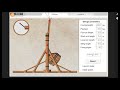
Trebuchet Simulation Activities

Interactive Video
•
Physics, Science, Design
•
6th - 8th Grade
•
Practice Problem
•
Hard

Patricia Brown
FREE Resource
Read more
10 questions
Show all answers
1.
MULTIPLE CHOICE QUESTION
30 sec • 1 pt
What is the first step to start the trebuchet simulation activity?
Print the vocabulary sheet
Search for trebuchet on Explore Learning
Set the design parameters
Launch the gizmo
2.
MULTIPLE CHOICE QUESTION
30 sec • 1 pt
What should you do with the vocabulary sheet?
Ignore it
Print it out
Memorize it
Share it with friends
3.
MULTIPLE CHOICE QUESTION
30 sec • 1 pt
How can you record your answers for the student exploration sheet?
On paper or in a Google Doc
You cannot record answers
Only in a Google Doc
Only on paper
4.
MULTIPLE CHOICE QUESTION
30 sec • 1 pt
What can you adjust in the trebuchet gizmo?
The color of the trebuchet
The background music
The design parameters
The type of castle
5.
MULTIPLE CHOICE QUESTION
30 sec • 1 pt
What information does the launch test provide?
The color of the projectile
The launch angle and initial speed
The type of target
The weather conditions
6.
MULTIPLE CHOICE QUESTION
30 sec • 1 pt
What is the goal of launching the trebuchet?
To make the projectile fly in a circle
To smash through the castle wall
To change the color of the castle
To hit a moving target
7.
MULTIPLE CHOICE QUESTION
30 sec • 1 pt
What happens if your projectile falls short?
It disappears
It leaves a flag
It resets automatically
It changes color
Access all questions and much more by creating a free account
Create resources
Host any resource
Get auto-graded reports

Continue with Google

Continue with Email

Continue with Classlink

Continue with Clever
or continue with

Microsoft
%20(1).png)
Apple

Others
Already have an account?

