
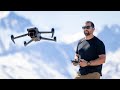
Drone Controller Operation and Functions

Interactive Video
•
Physics
•
9th - 10th Grade
•
Practice Problem
•
Hard

Patricia Brown
FREE Resource
Read more
10 questions
Show all answers
1.
MULTIPLE CHOICE QUESTION
30 sec • 1 pt
What is the primary purpose of the two joysticks on a drone controller?
To adjust the drone's speed
To navigate the drone in the air
To control the drone's camera settings
To power the drone on and off
2.
MULTIPLE CHOICE QUESTION
30 sec • 1 pt
What happens when you push up on the left joystick?
The drone ascends
The drone descends
The drone moves forward
The drone rotates left
3.
MULTIPLE CHOICE QUESTION
30 sec • 1 pt
Which action is performed by pulling down on the left joystick?
The drone moves backward
The drone moves left
The drone descends
The drone rotates right
4.
MULTIPLE CHOICE QUESTION
30 sec • 1 pt
What is the function of the right joystick when pushed forward?
The drone rotates left
The drone descends
The drone ascends
The drone moves forward
5.
MULTIPLE CHOICE QUESTION
30 sec • 1 pt
How does the drone move when the right joystick is pulled left?
It rotates left
It descends
It moves left
It ascends
6.
MULTIPLE CHOICE QUESTION
30 sec • 1 pt
What feature allows you to control the camera angle on a DJI drone?
Function button
Gimbal control
Speed adjustment
Return-to-home button
7.
MULTIPLE CHOICE QUESTION
30 sec • 1 pt
What does the return-to-home button do?
It returns the drone to its takeoff point
It rotates the drone 360 degrees
It lands the drone immediately
It increases the drone's speed
Access all questions and much more by creating a free account
Create resources
Host any resource
Get auto-graded reports

Continue with Google

Continue with Email

Continue with Classlink

Continue with Clever
or continue with

Microsoft
%20(1).png)
Apple

Others
Already have an account?

