
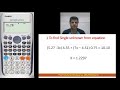
Using a Calculator for Equations

Interactive Video
•
Mathematics
•
6th - 7th Grade
•
Practice Problem
•
Hard

Patricia Brown
FREE Resource
Read more
7 questions
Show all answers
1.
MULTIPLE CHOICE QUESTION
30 sec • 1 pt
What is the primary goal when using a calculator to solve an equation as discussed in the video?
To find the value of a known variable
To find the value of an unknown variable
To simplify the equation
To graph the equation
2.
MULTIPLE CHOICE QUESTION
30 sec • 1 pt
Which button is used to input the variable X in the calculator?
Mode
Alpha
Clear
Shift
3.
MULTIPLE CHOICE QUESTION
30 sec • 1 pt
What is the first step in entering the equation into the calculator?
Turning on the calculator
Pressing the equal sign
Typing the equation as it is
Clearing previous calculations
4.
MULTIPLE CHOICE QUESTION
30 sec • 1 pt
How do you insert the equal sign in the calculator according to the tutorial?
Press the Mode button
Press the equal button
Use the Alpha key followed by Calculate
Use the Shift key
5.
MULTIPLE CHOICE QUESTION
30 sec • 1 pt
What should you do after entering the complete equation to find the unknown X?
Press the power button
Press the Alpha button
Press Shift followed by Calculate and then equal sign
Press the clear button
6.
MULTIPLE CHOICE QUESTION
30 sec • 1 pt
What is the final value of X obtained in the tutorial?
0.75
1.12297
1.2297
10.10
7.
MULTIPLE CHOICE QUESTION
30 sec • 1 pt
What is the significance of the Alpha key in the process described?
It turns off the calculator
It clears the screen
It is used to input numbers
It is used to input variables and special functions
Access all questions and much more by creating a free account
Create resources
Host any resource
Get auto-graded reports

Continue with Google

Continue with Email

Continue with Microsoft
or continue with

%20(1).png)
Apple

Others
Already have an account?


