
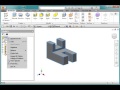
Inventor Project Setup and Features

Interactive Video
•
Design
•
9th - 10th Grade
•
Practice Problem
•
Hard

Patricia Brown
FREE Resource
Read more
10 questions
Show all answers
1.
MULTIPLE CHOICE QUESTION
30 sec • 1 pt
What is the first step in setting up a project in Inventor?
Extrude the part
Select the line tool
Verify the storage folder
Create a new sketch
2.
MULTIPLE CHOICE QUESTION
30 sec • 1 pt
Which plane is used for the initial sketch in the video?
ZX plane
XZ plane
YZ plane
XY plane
3.
MULTIPLE CHOICE QUESTION
30 sec • 1 pt
What is the purpose of the 'cut feature' in the video?
To add material to the part
To remove material from the part
To create a new sketch
To change the material properties
4.
MULTIPLE CHOICE QUESTION
30 sec • 1 pt
Which material is specified for the part in the video?
Aluminum 6061
Steel
Copper
Plastic
5.
MULTIPLE CHOICE QUESTION
30 sec • 1 pt
What is the final step before exporting the part to PDF?
Change the scale of the part
Create a new sketch
Save the drawing
Specify the material properties
6.
MULTIPLE CHOICE QUESTION
30 sec • 1 pt
How many dimensions are required to fully define the part?
5
8
11
14
7.
MULTIPLE CHOICE QUESTION
30 sec • 1 pt
What is the purpose of dimensioning the part in the drawing?
To export the drawing
To specify the size and features
To change the material
To create a new part
Access all questions and much more by creating a free account
Create resources
Host any resource
Get auto-graded reports

Continue with Google

Continue with Email

Continue with Classlink

Continue with Clever
or continue with

Microsoft
%20(1).png)
Apple

Others
Already have an account?


