
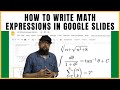
Using Hypatia Create for Math Expressions

Interactive Video
•
Mathematics
•
9th - 12th Grade
•
Practice Problem
•
Hard

Thomas White
FREE Resource
Read more
8 questions
Show all answers
1.
MULTIPLE CHOICE QUESTION
30 sec • 1 pt
What are the three platforms mentioned for writing math expressions?
Google Slides, Sheets, and Docs
Microsoft Word, Excel, and PowerPoint
Google Slides, Docs, and Forms
Google Sheets, Docs, and Forms
2.
MULTIPLE CHOICE QUESTION
30 sec • 1 pt
What is the main focus of the channel introduced in the video?
Cooking tutorials
Fitness routines
Educational technology tools
Travel vlogs
3.
MULTIPLE CHOICE QUESTION
30 sec • 1 pt
Which method does not require coding?
Manual typing
Hypatia Create add-on
LaTeX-based method
Using images
4.
MULTIPLE CHOICE QUESTION
30 sec • 1 pt
What is the advantage of using LaTeX-based methods?
No need for coding
More visually appealing
Faster for large number of equations
Easier to learn
5.
MULTIPLE CHOICE QUESTION
30 sec • 1 pt
What is the name of the add-on introduced for writing math expressions?
MathJax
Equation Editor
Hypatia Create
MathType
6.
MULTIPLE CHOICE QUESTION
30 sec • 1 pt
What is the first step to use Hypatia Create in Google Slides?
Download a plugin
Write code
Install the add-on
Use a template
7.
MULTIPLE CHOICE QUESTION
30 sec • 1 pt
What is the first equation demonstrated using Hypatia Create?
Exponential equation
Cubic equation
Linear equation
Quadratic equation
Access all questions and much more by creating a free account
Create resources
Host any resource
Get auto-graded reports

Continue with Google

Continue with Email

Continue with Microsoft
or continue with

%20(1).png)
Apple

Others
By signing up, you agree to our Terms of Service & Privacy Policy
Already have an account?

