
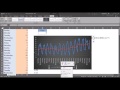
Moving Averages and Data Analysis

Interactive Video
•
Computers
•
9th - 10th Grade
•
Practice Problem
•
Hard

Thomas White
FREE Resource
Read more
8 questions
Show all answers
1.
MULTIPLE CHOICE QUESTION
30 sec • 1 pt
What is the primary purpose of using a moving average in time series data?
To highlight the highest values
To increase data complexity
To smooth out fluctuations
To eliminate all data points
2.
MULTIPLE CHOICE QUESTION
30 sec • 1 pt
In the dataset used in the video, what does column B represent?
Number of participants
Sales figures
Weather conditions
Days of the week
3.
MULTIPLE CHOICE QUESTION
30 sec • 1 pt
Which Excel feature is used to visualize the data as a line chart?
Conditional Formatting
Data Validation
Pivot Table
Insert Chart
4.
MULTIPLE CHOICE QUESTION
30 sec • 1 pt
What pattern is observed in the participant data throughout the week?
Decreasing trend
Cyclical pattern
Increasing trend
Random fluctuations
5.
MULTIPLE CHOICE QUESTION
30 sec • 1 pt
What function is used in Excel to handle errors in the moving average formula?
VLOOKUP
IFERROR
MATCH
SUM
6.
MULTIPLE CHOICE QUESTION
30 sec • 1 pt
What does the red line in the chart represent?
Original data points
7-day moving average
Monthly sales
Daily temperature
7.
MULTIPLE CHOICE QUESTION
30 sec • 1 pt
How does changing the moving average period affect the data smoothing?
It removes all data points
It changes the degree of smoothing
It makes the data more volatile
It has no effect
Access all questions and much more by creating a free account
Create resources
Host any resource
Get auto-graded reports

Continue with Google

Continue with Email

Continue with Classlink

Continue with Clever
or continue with

Microsoft
%20(1).png)
Apple

Others
Already have an account?
Popular Resources on Wayground

15 questions
Fractions on a Number Line

Quiz
•
3rd Grade
20 questions
Equivalent Fractions
Quiz
•
3rd Grade
25 questions
Multiplication Facts
Quiz
•
5th Grade
29 questions
Alg. 1 Section 5.1 Coordinate Plane
Quiz
•
9th Grade
22 questions
fractions
Quiz
•
3rd Grade
11 questions
FOREST Effective communication

Lesson
•
KG
20 questions
Main Idea and Details
Quiz
•
5th Grade
20 questions
Context Clues
Quiz
•
6th Grade