
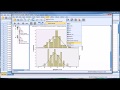
Creating and Analyzing Histograms in SPSS

Interactive Video
•
Computers
•
10th - 12th Grade
•
Practice Problem
•
Hard

Thomas White
FREE Resource
Read more
13 questions
Show all answers
1.
MULTIPLE CHOICE QUESTION
30 sec • 1 pt
What is the main focus of Dr. Grande's video?
Conducting surveys
Creating pie charts in SPSS
Analyzing regression models
Creating histograms in SPSS
2.
MULTIPLE CHOICE QUESTION
30 sec • 1 pt
What is the dependent variable in the data set?
Gender of participants
General measure of mental health symptoms
Emphasis by counselor
Duration of treatment
3.
MULTIPLE CHOICE QUESTION
30 sec • 1 pt
Which of the following is NOT an independent variable in the data set?
Emphasis
Age
Duration
Gender
4.
MULTIPLE CHOICE QUESTION
30 sec • 1 pt
What does a lower score in the dependent variable indicate?
Fewer mental health symptoms
Longer treatment duration
Higher emphasis on trauma
More mental health symptoms
5.
MULTIPLE CHOICE QUESTION
30 sec • 1 pt
How many levels does the 'emphasis' variable have?
Three
Two
Four
Five
6.
MULTIPLE CHOICE QUESTION
30 sec • 1 pt
What is the first step in creating a histogram in SPSS?
Select the normal curve option
Input the dependent variable
Go to graphs and choose Legacy dialogues
Select the data view
7.
MULTIPLE CHOICE QUESTION
30 sec • 1 pt
What does the normal curve option in a histogram represent?
A normal distribution
A skewed distribution
A uniform distribution
A bimodal distribution
Access all questions and much more by creating a free account
Create resources
Host any resource
Get auto-graded reports

Continue with Google

Continue with Email

Continue with Classlink

Continue with Clever
or continue with

Microsoft
%20(1).png)
Apple

Others
Already have an account?


