
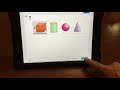
Understanding Test Instructions and Procedures

Interactive Video
•
Mathematics
•
1st - 2nd Grade
•
Practice Problem
•
Hard

Thomas White
FREE Resource
Read more
13 questions
Show all answers
1.
MULTIPLE CHOICE QUESTION
30 sec • 1 pt
What does the app icon for the MAP test look like?
A red button with a green circle
A black button with yellow NWEA
A white button with a black star
A blue button with a white arrow
2.
MULTIPLE CHOICE QUESTION
30 sec • 1 pt
What are the login credentials for the practice test?
Username: map, Password: map
Username: learn, Password: learn
Username: grow, Password: grow
Username: test, Password: test
3.
MULTIPLE CHOICE QUESTION
30 sec • 1 pt
Which grade level is selected for the practice test?
First Grade
Kindergarten
Second Grade
Preschool
4.
MULTIPLE CHOICE QUESTION
30 sec • 1 pt
What should you do if you need to hear a question again during the test?
Press the exit button
Restart the test
Tap the speaker button
Click the next button
5.
MULTIPLE CHOICE QUESTION
30 sec • 1 pt
How do you select the correct shape in the test?
Tap the shape and press confirm
Type the name of the shape
Tap the shape and it will be selected
Drag the shape to a box
6.
MULTIPLE CHOICE QUESTION
30 sec • 1 pt
What indicates that you have selected an answer?
A sound plays
The round circle is colored in
The shape changes color
A green checkmark appears
7.
MULTIPLE CHOICE QUESTION
30 sec • 1 pt
How do you move pencils to the correct box?
Tap the pencil and then tap the box
Drag and drop the pencils
Type the length of the pencil
Use the arrow keys
Access all questions and much more by creating a free account
Create resources
Host any resource
Get auto-graded reports

Continue with Google

Continue with Email

Continue with Microsoft
or continue with

%20(1).png)
Apple

Others
Already have an account?


