
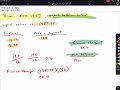
Finance Charges and APR Calculations

Interactive Video
•
Mathematics
•
9th - 10th Grade
•
Practice Problem
•
Hard

Thomas White
FREE Resource
Read more
15 questions
Show all answers
1.
MULTIPLE CHOICE QUESTION
30 sec • 1 pt
What is the APR of the Visa card mentioned in the scenario?
20.0%
19.2%
18.5%
21.5%
2.
MULTIPLE CHOICE QUESTION
30 sec • 1 pt
What is the unpaid balance on the Visa card at the start?
$1,382.95
$1,200.00
$1,500.00
$1,600.00
3.
MULTIPLE CHOICE QUESTION
30 sec • 1 pt
Which method is used to calculate the finance charge in this scenario?
Average Daily Balance
Adjusted Balance
Previous Balance
Unpaid Balance
4.
MULTIPLE CHOICE QUESTION
30 sec • 1 pt
What is the total amount of purchases made this month?
$169.99
$63.92
$16.99
$46.93
5.
MULTIPLE CHOICE QUESTION
30 sec • 1 pt
What is the significance of the unpaid balance method?
It uses the balance at the end of the month
It considers only new purchases
It includes all transactions
It calculates interest on the remaining balance
6.
MULTIPLE CHOICE QUESTION
30 sec • 1 pt
How is the monthly percentage rate calculated from the APR?
Multiply by 12
Divide by 12
Add 12
Subtract 12
7.
MULTIPLE CHOICE QUESTION
30 sec • 1 pt
What is the monthly percentage rate derived from the APR of 19.2%?
0.016
0.014
0.018
0.012
Access all questions and much more by creating a free account
Create resources
Host any resource
Get auto-graded reports

Continue with Google

Continue with Email

Continue with Microsoft
or continue with

%20(1).png)
Apple

Others
By signing up, you agree to our Terms of Service & Privacy Policy
Already have an account?


