
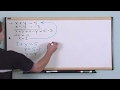
Solving Systems of Equations

Interactive Video
•
Mathematics
•
9th - 10th Grade
•
Practice Problem
•
Hard

Thomas White
FREE Resource
Read more
19 questions
Show all answers
1.
MULTIPLE CHOICE QUESTION
30 sec • 1 pt
What is the first step in solving the given system of equations?
Add the equations
Divide the equations
Subtract the equations
Multiply the equations
2.
MULTIPLE CHOICE QUESTION
30 sec • 1 pt
What is the first equation in the system?
X plus y equals 5
y equals 4
X minus y equals -3
2x equals 2
3.
MULTIPLE CHOICE QUESTION
30 sec • 1 pt
What is the second equation in the system?
X plus y equals 5
X minus y equals -3
2x equals 2
y equals 4
4.
MULTIPLE CHOICE QUESTION
30 sec • 1 pt
Why can you add the same value to both sides of an equation?
It simplifies the equation
It makes the equation more complex
It keeps the equation balanced
It changes the equation
5.
MULTIPLE CHOICE QUESTION
30 sec • 1 pt
What is the result of adding X plus y and X minus y?
2x
2y
x + y
0
6.
MULTIPLE CHOICE QUESTION
30 sec • 1 pt
What is the simplified form of 5 plus negative 3?
3
0
2
8
7.
MULTIPLE CHOICE QUESTION
30 sec • 1 pt
What is the purpose of adding equations in this context?
To calculate the midpoint
To eliminate variables
To find the slope
To determine the y-intercept
Access all questions and much more by creating a free account
Create resources
Host any resource
Get auto-graded reports

Continue with Google

Continue with Email

Continue with Classlink

Continue with Clever
or continue with

Microsoft
%20(1).png)
Apple

Others
Already have an account?

