
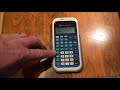
TI-34 Multi-View Calculator Functions

Interactive Video
•
Mathematics
•
9th - 10th Grade
•
Hard

Thomas White
FREE Resource
Read more
12 questions
Show all answers
1.
MULTIPLE CHOICE QUESTION
30 sec • 1 pt
What is one of the main features that makes the TI-34 Multi-View Calculator great for high school students?
It has a color screen.
It is solar-powered.
It includes a math print feature.
It can connect to the internet.
2.
MULTIPLE CHOICE QUESTION
30 sec • 1 pt
How does the Equation Operating System differ from older algebraic systems?
It requires manual calculation of each step.
It only works with simple arithmetic.
It allows for the evaluation of entire expressions at once.
It evaluates expressions one step at a time.
3.
MULTIPLE CHOICE QUESTION
30 sec • 1 pt
What is the expected result of the operation 7 times 8 plus 3 on the TI-34 Multi-View Calculator?
59
56
50
63
4.
MULTIPLE CHOICE QUESTION
30 sec • 1 pt
What does the second button on the TI-34 Multi-View Calculator do?
Saves calculations to memory.
Clears the screen.
Activates functions written above buttons in gray.
Turns the calculator on and off.
5.
MULTIPLE CHOICE QUESTION
30 sec • 1 pt
How can you make a number negative on the TI-34 Multi-View Calculator?
Use the negative symbol.
Divide it by negative one.
Subtract it from zero.
Use the minus symbol.
6.
MULTIPLE CHOICE QUESTION
30 sec • 1 pt
How can you toggle between fraction and decimal views on the TI-34 Multi-View Calculator?
Press the decimal button.
Press the toggle button.
Press the clear button.
Press the fraction button.
7.
MULTIPLE CHOICE QUESTION
30 sec • 1 pt
What is the difference between classic and math print modes?
Classic mode shows calculations in a single line.
Math print mode shows calculations in a textbook style.
Classic mode is for basic calculations only.
Math print mode is for advanced users only.
Access all questions and much more by creating a free account
Create resources
Host any resource
Get auto-graded reports

Continue with Google

Continue with Email

Continue with Classlink

Continue with Clever
or continue with

Microsoft
%20(1).png)
Apple

Others
Already have an account?
Popular Resources on Wayground

8 questions
Spartan Way - Classroom Responsible

Quiz
•
9th - 12th Grade
15 questions
Fractions on a Number Line
Quiz
•
3rd Grade
14 questions
Boundaries & Healthy Relationships

Lesson
•
6th - 8th Grade
20 questions
Equivalent Fractions
Quiz
•
3rd Grade
3 questions
Integrity and Your Health
Lesson
•
6th - 8th Grade
25 questions
Multiplication Facts
Quiz
•
5th Grade
9 questions
FOREST Perception
Lesson
•
KG
20 questions
Main Idea and Details
Quiz
•
5th Grade
Discover more resources for Mathematics
20 questions
Graphing Inequalities on a Number Line
Quiz
•
6th - 9th Grade
11 questions
Adding and Subtracting Polynomials
Quiz
•
9th Grade
20 questions
Box and Whisker Plots
Quiz
•
9th Grade
18 questions
Exponential Growth and Decay
Quiz
•
9th Grade
12 questions
Equation of a Circle
Lesson
•
10th Grade
12 questions
Exponential Growth and Decay
Quiz
•
9th Grade
14 questions
Making Inferences From Samples
Quiz
•
7th - 12th Grade
24 questions
Solving Linear Equations with Variables on Both Sides
Quiz
•
9th Grade