
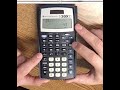
Using the TI-30X for Exponents

Interactive Video
•
Mathematics
•
6th - 7th Grade
•
Hard

Thomas White
FREE Resource
Read more
8 questions
Show all answers
1.
MULTIPLE CHOICE QUESTION
30 sec • 1 pt
What is the primary purpose of using different buttons for exponents on the TI-30X calculator?
To accommodate different exponent values
To make the calculator more user-friendly
To save battery life
To reduce the size of the calculator
2.
MULTIPLE CHOICE QUESTION
30 sec • 1 pt
Which button would you use to calculate 7 squared on the TI-30X calculator?
The addition button
The subtraction button
The x² button
The division button
3.
MULTIPLE CHOICE QUESTION
30 sec • 1 pt
What result should you expect when you calculate 7 squared using the TI-30X calculator?
14
21
28
49
4.
MULTIPLE CHOICE QUESTION
30 sec • 1 pt
If you want to calculate 7 to the third power, which button should you use on the TI-30X calculator?
The x² button
The multiplication button
The caret (^) button
The subtraction button
5.
MULTIPLE CHOICE QUESTION
30 sec • 1 pt
What is the result of calculating 7 to the third power on the TI-30X calculator?
49
21
343
147
6.
MULTIPLE CHOICE QUESTION
30 sec • 1 pt
Which button is used to indicate that you are entering the exponent area on the TI-30X calculator?
The x² button
The division button
The addition button
The caret (^) button
7.
MULTIPLE CHOICE QUESTION
30 sec • 1 pt
How would you calculate 5 to the ninth power on the TI-30X calculator?
5 - 9
5 ^ 9
5 + 9
5 x² 9
Access all questions and much more by creating a free account
Create resources
Host any resource
Get auto-graded reports

Continue with Google

Continue with Email

Continue with Microsoft
or continue with

%20(1).png)
Apple

Others
Already have an account?

