
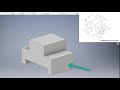
Sketching and Geometry in CAD

Interactive Video
•
Design
•
9th - 10th Grade
•
Hard

Thomas White
FREE Resource
Read more
13 questions
Show all answers
1.
MULTIPLE CHOICE QUESTION
30 sec • 1 pt
What is the first step in starting a new project in Activity 4.2?
Apply dimensions
Sketch the top view
Create a new folder
Open a new standard inch IPT file
2.
MULTIPLE CHOICE QUESTION
30 sec • 1 pt
Which plane is chosen for sketching the front view?
XZ-plane
YZ-plane
XY-plane
ZX-plane
3.
MULTIPLE CHOICE QUESTION
30 sec • 1 pt
What command is used to start sketching the front view?
Circle command
Arc command
Rectangle command
Line command
4.
MULTIPLE CHOICE QUESTION
30 sec • 1 pt
What constraint appears when drawing a vertical line?
Horizontal constraint
Perpendicular constraint
Coincidence constraint
Vertical constraint
5.
MULTIPLE CHOICE QUESTION
30 sec • 1 pt
How many dimensions are needed to fully constrain the sketch?
Six
Five
Eight
Seven
6.
MULTIPLE CHOICE QUESTION
30 sec • 1 pt
What should you do if the object goes out of kilter after dimensioning?
Start a new project
Use the Escape key and drag the line
Redraw the object
Delete the sketch
7.
MULTIPLE CHOICE QUESTION
30 sec • 1 pt
What is the depth of the extruded object?
1.5 inches
3.0 inches
2.0 inches
2.5 inches
Access all questions and much more by creating a free account
Create resources
Host any resource
Get auto-graded reports

Continue with Google

Continue with Email

Continue with Classlink

Continue with Clever
or continue with

Microsoft
%20(1).png)
Apple

Others
Already have an account?


