
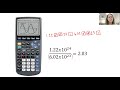
Calculator Usage and Common Mistakes

Interactive Video
•
Chemistry
•
9th - 10th Grade
•
Practice Problem
•
Hard

Jennifer Brown
FREE Resource
5 questions
Show all answers
1.
MULTIPLE CHOICE QUESTION
30 sec • 1 pt
What common mistake do students make when entering scientific notation into calculators?
They input the numbers exactly as written without using parentheses.
They enter the numbers in reverse order.
They use the wrong calculator mode.
They forget to multiply by 10.
2.
MULTIPLE CHOICE QUESTION
30 sec • 1 pt
How can you ensure the calculator interprets the denominator correctly in scientific notation?
By using the square root function.
By enclosing the entire denominator in parentheses.
By using the subtraction function.
By entering the numbers in reverse order.
3.
MULTIPLE CHOICE QUESTION
30 sec • 1 pt
What is the purpose of the EE function on a graphing calculator?
To perform division operations.
To add numbers quickly.
To simplify the input of numbers in scientific notation.
To switch between different calculator modes.
4.
MULTIPLE CHOICE QUESTION
30 sec • 1 pt
Which button on a Casio calculator performs the same function as the EE button on a graphing calculator?
The memory recall button.
The square root button.
The exponential button.
The division button.
5.
MULTIPLE CHOICE QUESTION
30 sec • 1 pt
How can iPhone users access the EE function on their calculator?
By rotating the phone to access a larger calculator menu.
By downloading a special app.
By entering a secret code.
By using the voice command feature.
Access all questions and much more by creating a free account
Create resources
Host any resource
Get auto-graded reports

Continue with Google

Continue with Email

Continue with Microsoft
or continue with

%20(1).png)
Apple

Others
By signing up, you agree to our Terms of Service & Privacy Policy
Already have an account?


