
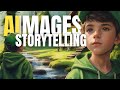
Creating and Using AI-Generated Images with Padlet and Canva

Interactive Video
•
Computers
•
6th - 7th Grade
•
Practice Problem
•
Hard

Jennifer Brown
FREE Resource
10 questions
Show all answers
1.
MULTIPLE CHOICE QUESTION
30 sec • 1 pt
What is the primary function of a Padlet board as described in the video?
To write code
To edit videos
To create spreadsheets
To brainstorm and organize ideas
2.
MULTIPLE CHOICE QUESTION
30 sec • 1 pt
Which feature of Padlet is used to generate images?
Spreadsheet Creator
Video Editor
AI Image Generator
Text Editor
3.
MULTIPLE CHOICE QUESTION
30 sec • 1 pt
What style was chosen for the AI-generated image in the video?
Watercolor Digital Painting
Sketch
Oil Painting
Charcoal Drawing
4.
MULTIPLE CHOICE QUESTION
30 sec • 1 pt
How many images does Padlet's AI generate at once based on a prompt?
Five
Six
Four
Three
5.
MULTIPLE CHOICE QUESTION
30 sec • 1 pt
What is the benefit of using AI-generated images for story starters?
They are difficult to understand
They provide unique visual prompts
They are time-consuming to create
They are expensive
6.
MULTIPLE CHOICE QUESTION
30 sec • 1 pt
What is the purpose of downloading images from Padlet to Canva?
To share them on social media
To print them
To arrange and compose them for storytelling
To delete them
7.
MULTIPLE CHOICE QUESTION
30 sec • 1 pt
Which tool in Canva is used to remove the background from an image?
Filter Tool
Background Remover
Text Tool
Crop Tool
Access all questions and much more by creating a free account
Create resources
Host any resource
Get auto-graded reports

Continue with Google

Continue with Email

Continue with Microsoft
or continue with

%20(1).png)
Apple

Others
By signing up, you agree to our Terms of Service & Privacy Policy
Already have an account?


