
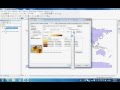
Creating a Choropleth Map in ArcMap

Interactive Video
•
Geography
•
9th - 10th Grade
•
Practice Problem
•
Hard

Jennifer Brown
FREE Resource
5 questions
Show all answers
1.
MULTIPLE CHOICE QUESTION
30 sec • 1 pt
What is the first step in creating a choropleth map in ArcMap?
Right-click on the attribute table
Select the symbology tab
Choose a color ramp
Set the number of classes
2.
MULTIPLE CHOICE QUESTION
30 sec • 1 pt
In the symbology settings, which option should be selected to represent data using colors?
Annotations
Quantities
Labels
Categories
3.
MULTIPLE CHOICE QUESTION
30 sec • 1 pt
How many classes are used in the tutorial for the choropleth map?
Three
Ten
Five
Seven
4.
MULTIPLE CHOICE QUESTION
30 sec • 1 pt
Which color scheme is preferred in the tutorial for clarity?
Yellow to dark red
Green to blue
Blue to purple
Red to green
5.
MULTIPLE CHOICE QUESTION
30 sec • 1 pt
Which countries are highlighted as having the highest number of rugby players?
Brazil, Argentina, and Chile
France, United Kingdom, and South Africa
India, China, and Japan
Russia, Canada, and Mexico
Access all questions and much more by creating a free account
Create resources
Host any resource
Get auto-graded reports

Continue with Google

Continue with Email

Continue with Microsoft
or continue with

%20(1).png)
Apple

Others
By signing up, you agree to our Terms of Service & Privacy Policy
Already have an account?


