
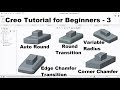
3D Modeling Commands Quiz

Interactive Video
•
Design
•
9th - 10th Grade
•
Practice Problem
•
Hard

Jennifer Brown
FREE Resource
10 questions
Show all answers
1.
MULTIPLE CHOICE QUESTION
30 sec • 1 pt
What is the first step in extruding an object in this tutorial?
Select the edge
Define the transition
Select the plane
Set the radius
2.
MULTIPLE CHOICE QUESTION
30 sec • 1 pt
How can you create a round with the same radius on multiple edges?
Press the control button and select multiple edges
Select each edge individually
Change the radius for each edge
Use the Auto Round feature
3.
MULTIPLE CHOICE QUESTION
30 sec • 1 pt
What should you do if you want to create a round with different radii on different edges?
Use the Auto Round feature
Click directly on the edge and change the radius
Press the control button
Select the transition mode
4.
MULTIPLE CHOICE QUESTION
30 sec • 1 pt
What is the purpose of the Auto Round feature?
To define chamfer distances
To create variable radius rounds
To automatically apply rounds to all edges
To manually select edges for rounding
5.
MULTIPLE CHOICE QUESTION
30 sec • 1 pt
How can you exclude certain edges from being rounded using the Auto Round feature?
By changing the radius to zero
By using the variable radius option
By clicking inside and selecting the edges to exclude
By not selecting them initially
6.
MULTIPLE CHOICE QUESTION
30 sec • 1 pt
What is the key feature of a variable radius round?
It automatically rounds all edges
It allows different radii at different points along an edge
It creates a chamfer instead of a round
It applies the same radius to all edges
7.
MULTIPLE CHOICE QUESTION
30 sec • 1 pt
How can you add a point in between when creating a variable radius round?
By pressing the control button
By selecting the transition mode
By right-clicking and adding the radius
By using the Auto Round feature
Access all questions and much more by creating a free account
Create resources
Host any resource
Get auto-graded reports

Continue with Google

Continue with Email

Continue with Classlink

Continue with Clever
or continue with

Microsoft
%20(1).png)
Apple

Others
Already have an account?
Popular Resources on Wayground

15 questions
Fractions on a Number Line

Quiz
•
3rd Grade
20 questions
Equivalent Fractions
Quiz
•
3rd Grade
25 questions
Multiplication Facts
Quiz
•
5th Grade
29 questions
Alg. 1 Section 5.1 Coordinate Plane
Quiz
•
9th Grade
22 questions
fractions
Quiz
•
3rd Grade
11 questions
FOREST Effective communication

Lesson
•
KG
20 questions
Main Idea and Details
Quiz
•
5th Grade
20 questions
Context Clues
Quiz
•
6th Grade
Discover more resources for Design
29 questions
Alg. 1 Section 5.1 Coordinate Plane
Quiz
•
9th Grade
20 questions
El Verbo IR Practice
Quiz
•
9th Grade
20 questions
-AR -ER -IR present tense
Quiz
•
10th - 12th Grade
10 questions
Cell Organelles and Their Functions
Interactive video
•
6th - 10th Grade
20 questions
Graphing Inequalities on a Number Line
Quiz
•
6th - 9th Grade
20 questions
Combining Sentences
Lesson
•
9th Grade
22 questions
El Imperfecto
Quiz
•
9th - 12th Grade
20 questions
Box and Whisker Plots
Quiz
•
9th Grade