
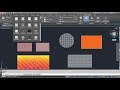
Hatch and Gradient Commands in CAD

Interactive Video
•
Design
•
9th - 10th Grade
•
Practice Problem
•
Hard

Jennifer Brown
FREE Resource
10 questions
Show all answers
1.
MULTIPLE CHOICE QUESTION
30 sec • 1 pt
What is the keyboard shortcut for the hatch command in CAD?
H
G
C
A
2.
MULTIPLE CHOICE QUESTION
30 sec • 1 pt
How can you increase the gap between hatch lines?
By increasing the hatch scale
By rotating the hatch angle
By changing the hatch pattern
By decreasing the hatch scale
3.
MULTIPLE CHOICE QUESTION
30 sec • 1 pt
What feature allows you to edit a hatch's color and transparency?
Angle Modifier
Scale Adjuster
Pattern Selector
Hatch Editor
4.
MULTIPLE CHOICE QUESTION
30 sec • 1 pt
How can you separate two hatches that are currently the same?
By changing the hatch pattern
By using the 'Separate Hatches' option
By applying a new color
By adjusting the hatch scale
5.
MULTIPLE CHOICE QUESTION
30 sec • 1 pt
What happens when a hatch is associative?
It becomes transparent
It updates with boundary changes
It changes color automatically
It separates into multiple hatches
6.
MULTIPLE CHOICE QUESTION
30 sec • 1 pt
What does the 'Ignore Island' option do when applying a hatch?
Applies hatch to alternative areas
Applies hatch to the inner area only
Applies hatch only to the outer area
Applies hatch to the entire area
7.
MULTIPLE CHOICE QUESTION
30 sec • 1 pt
How can you match the properties of two different hatches?
By applying a new color
By changing the hatch pattern
By adjusting the hatch scale
By using the 'Match Properties' tool
Access all questions and much more by creating a free account
Create resources
Host any resource
Get auto-graded reports

Continue with Google

Continue with Email

Continue with Classlink

Continue with Clever
or continue with

Microsoft
%20(1).png)
Apple

Others
Already have an account?


