
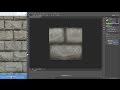
Minecraft Texture Creation in Photoshop

Interactive Video
•
Design
•
9th - 10th Grade
•
Hard

Jennifer Brown
FREE Resource
10 questions
Show all answers
1.
MULTIPLE CHOICE QUESTION
30 sec • 1 pt
What is the main focus of the video tutorial?
Designing websites with HTML
Editing videos in Premiere Pro
Making Minecraft textures in Photoshop
Creating 3D models in Blender
2.
MULTIPLE CHOICE QUESTION
30 sec • 1 pt
What is the recommended resolution for creating Minecraft textures in this tutorial?
16x16
128x128
64x64
32x32
3.
MULTIPLE CHOICE QUESTION
30 sec • 1 pt
What is the benefit of using a 32x32 resolution for textures?
It reduces file size
It allows for more detail while maintaining a pixel art feel
It is the default resolution for all games
It makes the texture look more realistic
4.
MULTIPLE CHOICE QUESTION
30 sec • 1 pt
Which tool is recommended for drawing lines in textures smaller than 200 pixels wide?
Eraser tool
Brush tool
Gradient tool
Pencil tool
5.
MULTIPLE CHOICE QUESTION
30 sec • 1 pt
What is the first step in creating a basic texture?
Applying filters
Fixing the tiling
Laying out flat color
Adding highlights
6.
MULTIPLE CHOICE QUESTION
30 sec • 1 pt
What is the purpose of using a low opacity when shading?
To add more colors
To make the texture look blurry
To increase the brightness
To create a smooth gradient
7.
MULTIPLE CHOICE QUESTION
30 sec • 1 pt
What should you do if the boundary between light and dark areas looks too harsh?
Add more highlights
Increase the brush size
Use a midtone to soften the edge
Change the resolution
Access all questions and much more by creating a free account
Create resources
Host any resource
Get auto-graded reports

Continue with Google

Continue with Email

Continue with Classlink

Continue with Clever
or continue with

Microsoft
%20(1).png)
Apple

Others
Already have an account?

